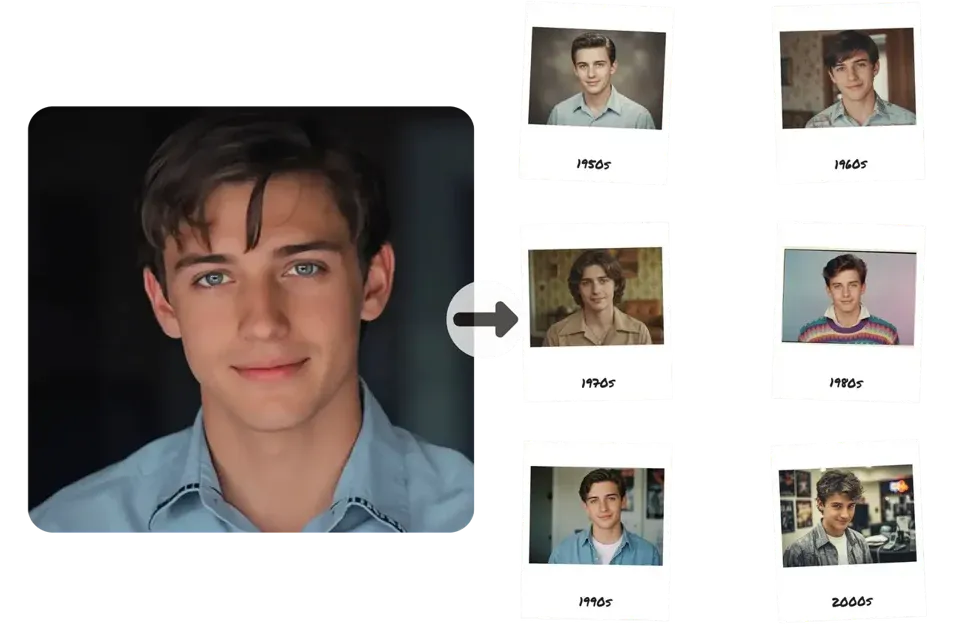
For the last 30 days, my creative workflow has been completely upended. As someone who lives and breathes generative AI, I’ve tested every major model since the dawn of DALL-E. But when ByteDance released Seedream 4.0 in September 2025, the chatter was different. The claims were audacious: dethroning Google's viral "Nano Banana" model, unifying generation and editing, and delivering 4K images in seconds. Skeptical but intrigued, I decided to dive in and put it through the most rigorous testing I've ever conducted on an AI model.
The goal? To find out if Seedream 4.0 is just another incremental update or if it genuinely represents the next leap forward in AI image creation. After a month of pushing it to its limits with commercial projects, creative experiments, and direct head-to-head comparisons, I have a definitive answer. This isn't just an upgrade; it's a paradigm shift.
What Exactly is Seedream 4.0?
Seedream 4.0 is a state-of-the-art multimodal AI image model developed by ByteDance, the tech giant behind TikTok. Launched in late 2025, its core innovation is its unified architecture. Unlike previous tools that required you to generate an image in one model and then import it into another for editing, Seedream 4.0 combines text-to-image generation, image-to-image transformation, and in-image editing into a single, seamless system. This isn't just a convenience; it's a fundamental change that allows for unprecedented creative control and iteration speed. It was built from the ground up to challenge the reigning champions of the AI image world, particularly Google's Gemini 2.5 Flash (nicknamed Nano Banana), and based on my testing, it has more than succeeded.
My 30-Day Deep Dive: Key Features I Unlocked
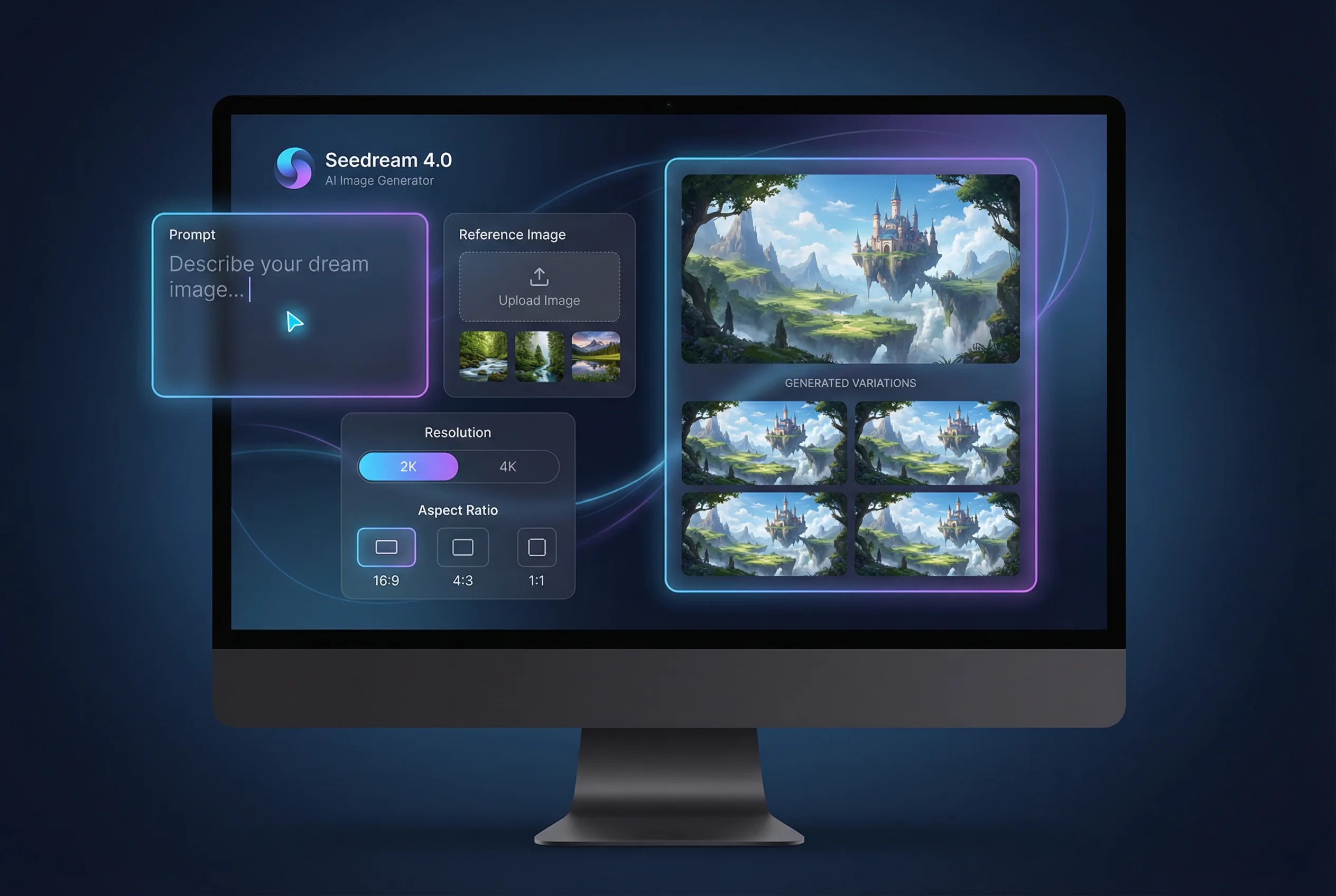
Over the past month, I've moved beyond the spec sheet and explored how Seedream 4.0's features perform in the real world. Here’s a breakdown of what truly stood out.
| Feature | My Experience & Key Takeaway |
|---|---|
| Unified Generation & Editing | The single biggest workflow improvement. I could generate a scene and then use a simple text prompt like "add a person walking on the left" without leaving the interface or losing quality. |
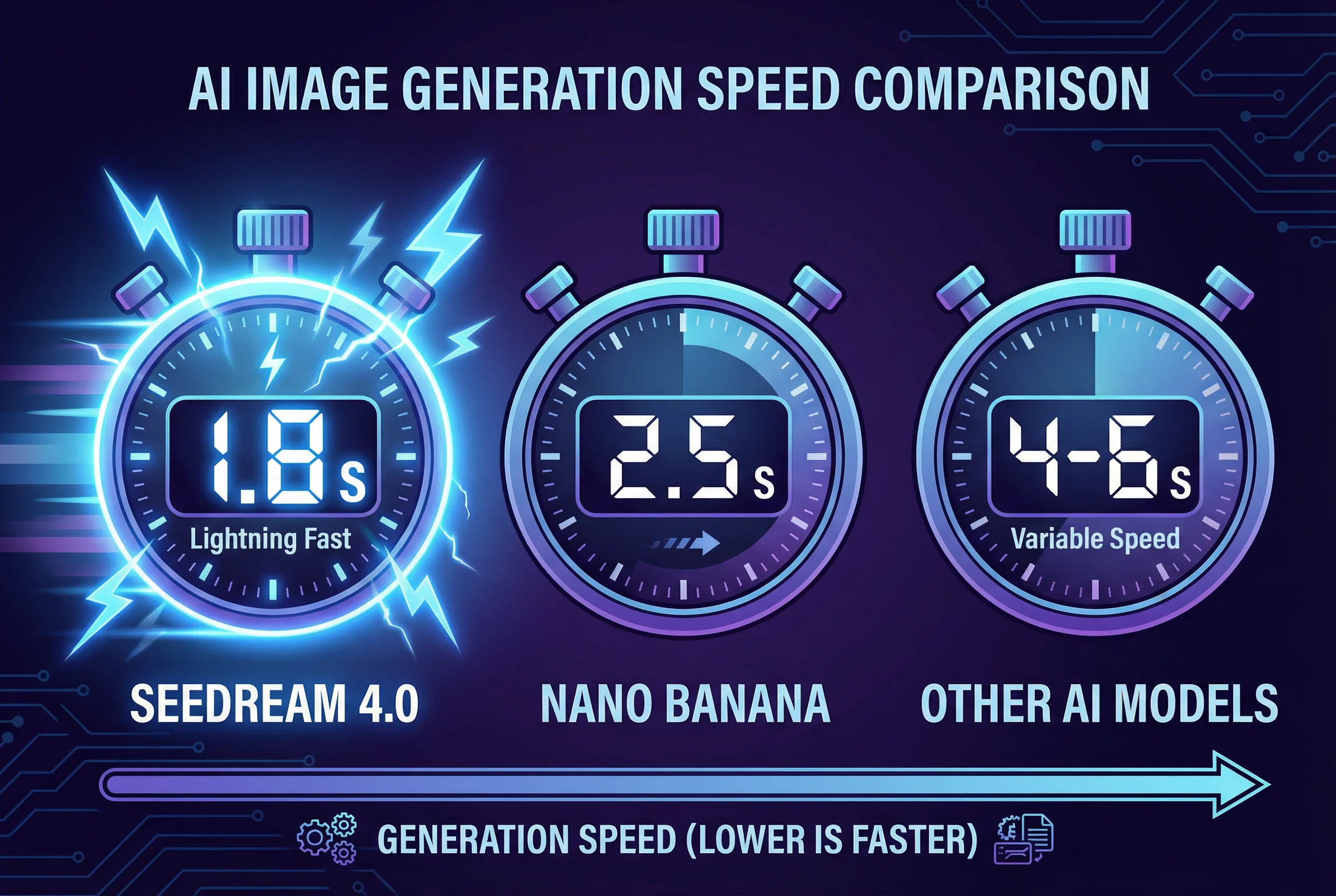
| Ultra-Fast Generation | The claim of generating a 2K image in ~1.8 seconds is real. This made rapid brainstorming and client revisions incredibly efficient. |
| 4K Resolution Support | A non-negotiable for professional work. I generated assets for print and large digital displays with crisp, clear details that other models often struggle with. |
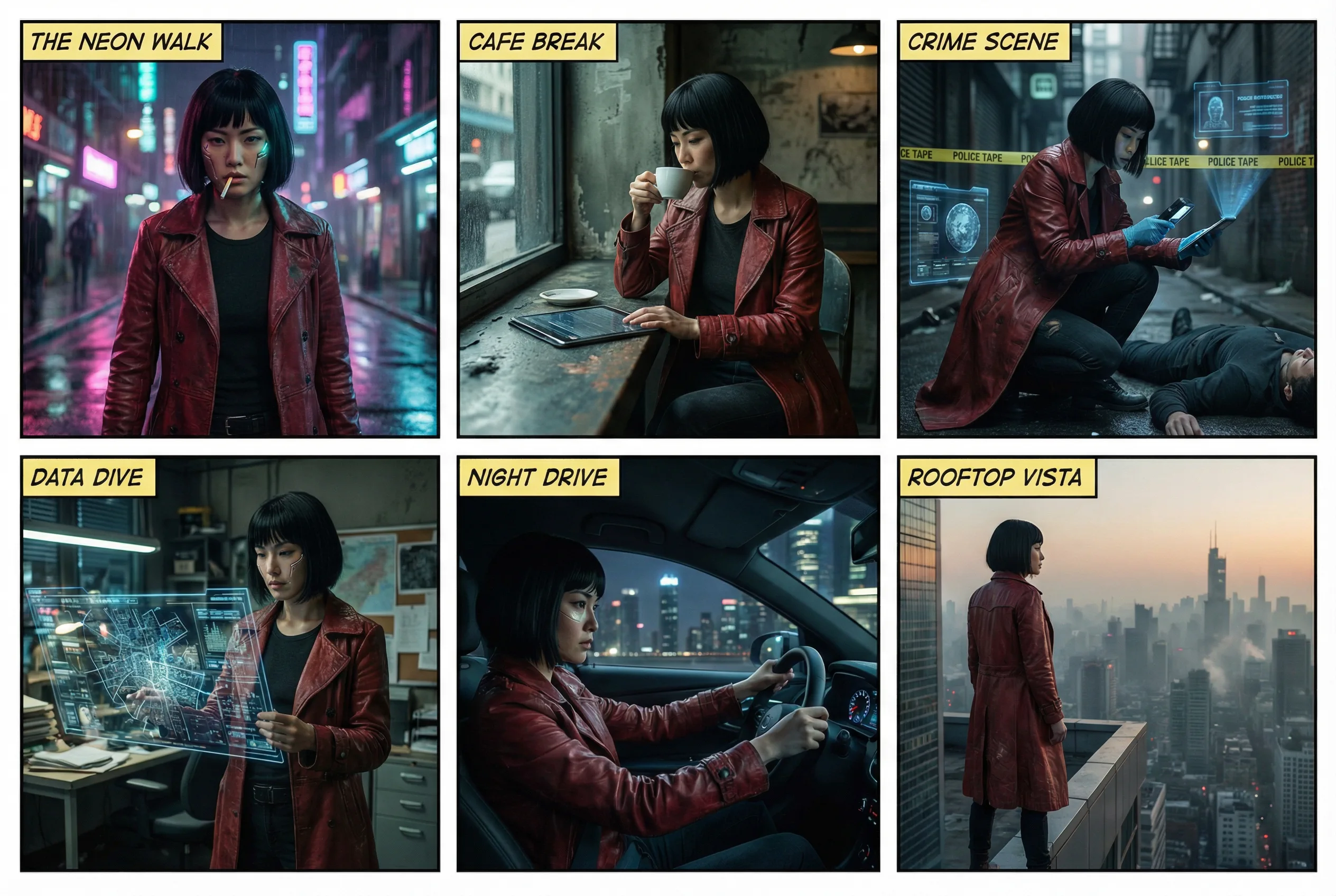
| Multi-Image Consistency | A game-changer for storytelling. I created a 5-panel comic strip where the main character's appearance and clothing were perfectly consistent across all images. |
| Multi-Reference Support | Insanely powerful for branding. I used one image for a character's face, another for a clothing style, and a third for a background layout, and Seedream 4.0 fused them into a cohesive whole. |
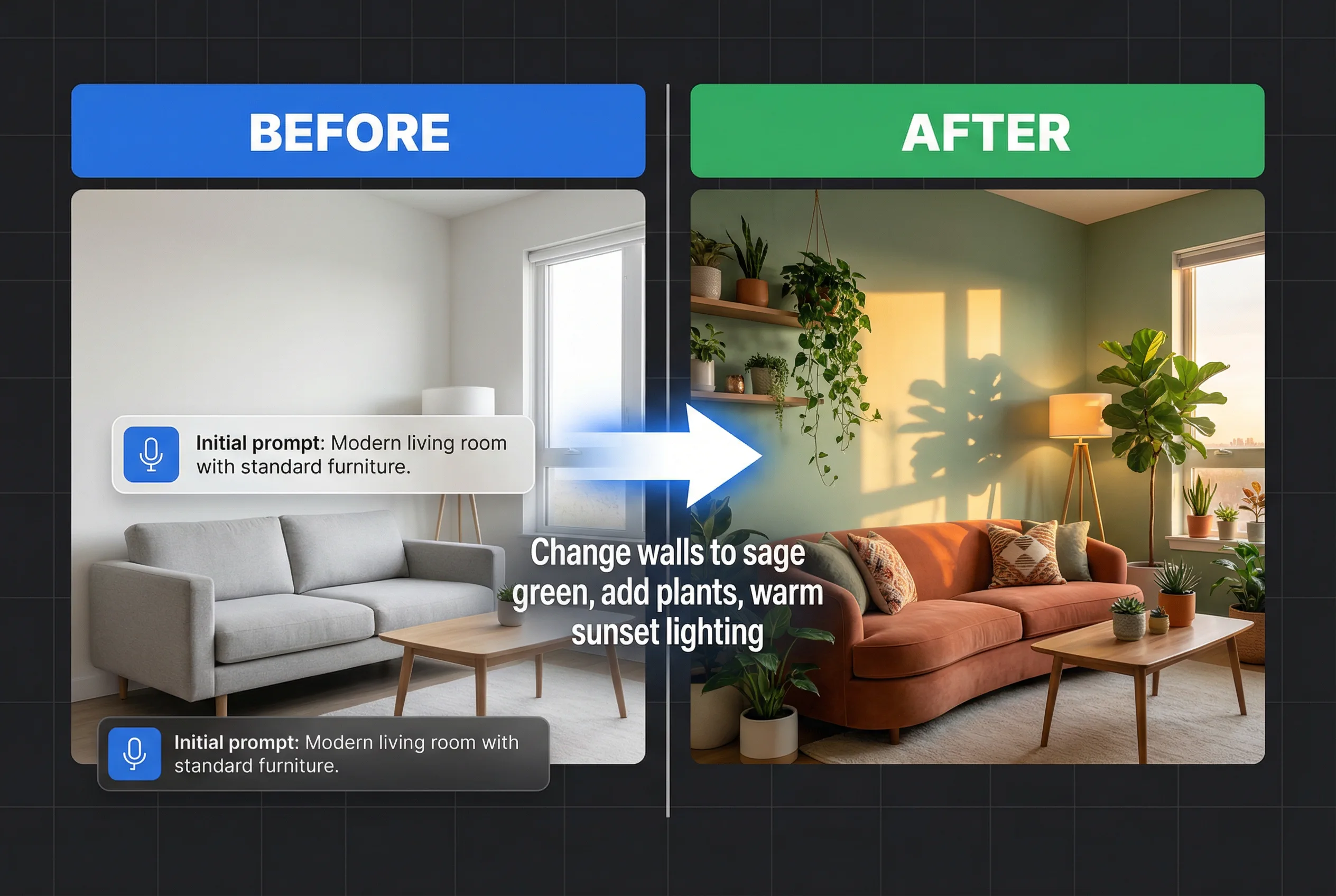
| Natural Language Editing | The most intuitive editing I've ever used. Prompts like "change the background to a rainy London street" or "remove the logo from the T-shirt" worked with shocking accuracy. |
The Power of a Unified Workflow
Before Seedream 4.0, my process involved generating an image in Midjourney for its artistic flair, then taking it to Photoshop with AI plugins for edits. It was clunky and time-consuming. With Seedream, I can create an image and then iterate on it with natural language. For example, I generated a product shot of a watch and then simply typed, "Now show the same watch on a wooden table next to a cup of coffee." The model understood the context and preserved the product perfectly while changing the scene. This is a massive leap in efficiency.
Speed That Fuels Creativity
The claim of a 2K image in 1.8 seconds is not an exaggeration. During a live client session, we were able to iterate through a dozen different ad concepts in under 10 minutes. This speed changes the creative process from a slow, deliberate one to a dynamic, real-time brainstorm.
Multi-Image Consistency: The End of "AI Frankensteins"
One of the biggest frustrations for AI artists has been character consistency. Seedream 4.0's ability to generate up to nine coherent images from a single prompt is its killer feature for any narrative work. I tested this by creating a storyboard for a short animation. My prompt included a description of "a female cyberpunk detective with a red trench coat." Seedream produced a set of images showing her in different poses and environments, all while maintaining her exact facial features and outfit.
Advanced Editing with Simple Words
The natural language editor feels like magic. Instead of complex masking or inpainting tools, you just describe the change you want. I took a generated image of a crowded city square and prompted: "Remove all people except for the woman in the red dress." It worked flawlessly on the first try. This level of intuitive control is something I've been waiting for. For anyone looking to try this level of control, platforms like Seedance AI offer an intuitive interface to test these features.
Performance Benchmarks: How Seedream 4.0 Stacks Up
My personal experience was overwhelmingly positive, but I wanted to see how it measured against objective data. According to the independent evaluation platform Artificial Analysis, which uses a user-voted ELO rating system, Seedream 4.0 has officially surpassed its main competitors in both major categories as of late 2025.
Here's a summary of how the top models compare:
| Model | ELO (Text-to-Image) | ELO (Image Editing) | Key Strength |
|---|---|---|---|
| Seedream 4.0 (ByteDance) | ~1222 | ~1205 | Unified Workflow & Control |
| Nano Banana (Google) | ~1201 | ~1190 | Speed & Ecosystem Integration |
| Midjourney v7 | ~1195 | N/A | Artistic Style & Community |
| Stable Diffusion 3 | ~1180 | N/A | Open-Source & Customization |
Note: ELO scores are dynamic and based on data from Artificial Analysis in late 2025. They are for comparative purposes.
Seedream 4.0 vs. The Competition: My Hands-On Comparison
Benchmarks are one thing, but how do they feel in a head-to-head battle? I ran the same complex prompts through the top contenders.
Seedream 4.0 vs. Google's Nano Banana
This is the main event. Nano Banana is incredibly fast and its integration into Google's ecosystem is a huge plus. However, in my tests, Seedream 4.0 consistently demonstrated a better understanding of complex prompts and spatial relationships.
When I used the prompt, "A photorealistic image of a burger with only the top and bottom bun, with a gap between them where the ingredients used to be," Seedream 4.0 nailed the concept immediately. Nano Banana struggled, often leaving bits of lettuce or cheese behind. For precision editing and following nuanced instructions, Seedream 4.0 has a clear edge.
Seedream 4.0 vs. Midjourney v7
This is a comparison of philosophy. Midjourney is an artist's muse. It produces stunning, often unexpected results with a signature aesthetic. It's fantastic for inspiration and highly stylized art.
Seedream 4.0, on the other hand, is a commercial workhorse. It prioritizes control, consistency, and adherence to the prompt. If I need a beautiful, surprising image, I might start in Midjourney. If I need ten consistent product shots for an e-commerce site that match a specific brief, I'm using Seedream 4.0 every single time.
Real-World Use Cases I Tested for 30 Days
Theory is great, but practical application is what matters. Here's how I integrated Seedream 4.0 into my professional workflow.
-
E-commerce Product Mockups: I was tasked with creating lifestyle images for a new line of skincare products. Instead of an expensive photoshoot, I used Seedream 4.0. I uploaded a single product image as a reference and prompted for variations: "Place the product on a marble bathroom counter," "Show the product next to a lush green plant," "Create a shot of the product on a white sandy beach at sunrise." The results were photorealistic, on-brand, and completed in under an hour.

-
Advertising Campaign Visuals: For a digital ad campaign, I needed visuals featuring the same AI-generated brand ambassador. Using the multi-image consistency feature, I created a series of ads showing our "ambassador" using the product in different settings (at home, at the gym, in the city). The character consistency was flawless, something that would have been nearly impossible a year ago.
-
Concept Art for a Gaming Project: I used the multi-reference feature to accelerate concept art. I fed the model one reference for an armor style, another for a color palette, and a text prompt for a "female elven warrior." Seedream 4.0 blended these inputs to produce dozens of unique character designs that were perfectly aligned with the project's art direction.
Pricing and How to Access Seedream 4.0
Seedream 4.0 is a closed-source model, so you can't run it locally. You access it through ByteDance's own platforms or, more commonly, through third-party API providers and creative suites. This is great for accessibility as you don't need a powerful computer.
Many platforms, like Seedance AI, have integrated it into a user-friendly interface, often providing free credits to get started.
Pricing is typically credit-based. While it varies by provider, a common price point I've seen is around $30 for 1,000 image generations, which is competitive with other premium models.
| Provider Type | Typical Cost (Example) | Access Method | Best For |
|---|---|---|---|
| Creative Suites (e.g., Seedance) | Free trial credits, then ~$10-30/month plans | Web-based GUI | Beginners & Professionals |
| API Providers (e.g., Fal.ai, Replicate) | Pay-per-generation (~$0.03/image) | API Integration | Developers & Businesses |
| Direct (ByteDance Seed) | Varies by region/availability | Web-based GUI | Direct Access |
My Honest Pros and Cons After 30 Days
No tool is perfect. After a month of intensive use, here's my balanced take.
| Pros 👍 | Cons 👎 |
|---|---|
| Unmatched Control: The unified editing and multi-reference features give you granular control that feels miles ahead of the competition. | Closed-Source: You can't download the model or fine-tune it on your own data, unlike Stable Diffusion. |
| Blazing Speed: The fast iteration cycle is a massive productivity booster for commercial work. | Less "Wildly" Creative: It's so good at following instructions that it can sometimes lack the serendipitous, artistic flair of Midjourney. |
| Professional Grade Output: True 4K resolution and incredible detail make it suitable for print and other high-end applications. | Learning Curve for Mastery: Basic use is easy, but getting the most out of multi-reference and advanced editing requires practice. |
| Storytelling Power: The multi-image consistency is a revolutionary feature for any narrative or branding project. | Data Privacy: As with any cloud-based AI, be mindful of the terms of service regarding how your prompts and images are used. |
Who Should Use Seedream 4.0?
Based on my testing, Seedream 4.0 is an essential tool for:
-
Marketers and Advertisers: For rapidly creating consistent, on-brand campaign visuals.
-
E-commerce Managers: For generating high-quality product mockups and lifestyle shots without photoshoots.
-
Designers and Art Directors: For mood boarding, concepting, and producing finished assets with precise control.
-
Comic Book Artists & Storytellers: For creating sequential art with consistent characters and styles.
-
Architects & Interior Designers: For quickly visualizing spaces and iterating on designs.
It may be less suitable for hobbyists who enjoy the "surprise me" element of models like Midjourney or developers who need to fine-tune a model on proprietary data.
How to Get Started in 5 Minutes
Ready to try it yourself? It's incredibly straightforward.
-
Find a Platform: Go to a site that offers Seedream 4.0, such as seadanceai.com/seedream4.
-
Describe Your Vision: Write a clear, descriptive text prompt. Be specific!
-
Add References (Optional): Upload an image to guide the style, a character's face, or a specific layout. This is where the magic happens.
-
Generate & Edit: Create your image. Not perfect? Don't start over. Just type an edit instruction like, "Make the sky more dramatic" or "Change her shirt from blue to green."
-
Export: Download your final image in up to 4K resolution.
The Final Verdict: Is Seedream 4.0 Worth the Hype?
After 30 days, I can say without hesitation: yes. Seedream 4.0 isn't just winning benchmarks; it's winning over creative professionals by solving their biggest workflow problems. The unified architecture is not a gimmick—it's the future of how we will create and manipulate digital imagery.
While Midjourney may still be my go-to for a lazy Sunday of artistic exploration, Seedream 4.0 has become the cornerstone of my professional toolkit. The combination of speed, control, and consistency for commercial-grade work is simply unmatched in the current market. It has fundamentally changed how I approach projects, making me faster, more efficient, and ultimately, more creative.
My Final Rating: 9.5/10