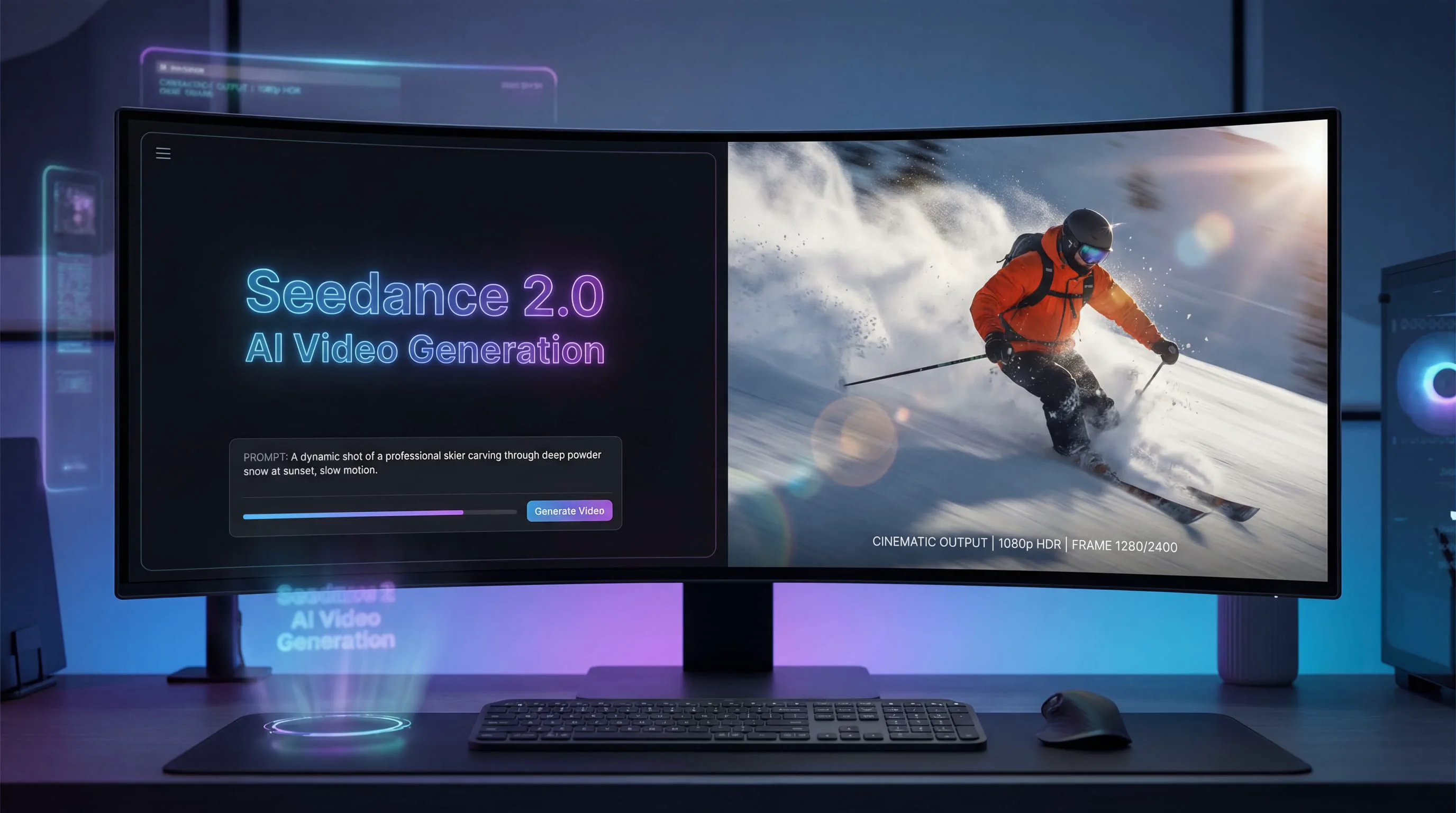
The AI video generation landscape experienced a seismic shift in early 2026 when ByteDance quietly released Seedance 2.0, sparking an immediate wave of excitement—and anxiety—across the creator community. Within hours of its launch, professional videographers, content creators, and AI enthusiasts were reporting results that seemed almost too good to be true: consistent character appearances across multiple shots, cinema-quality motion dynamics, and native audio synchronization that eliminated hours of post-production work.
This comprehensive Seedance 2 review examines whether ByteDance's latest AI video model lives up to the hype, how it compares to competitors like Sora 2 and Veo 3, and most importantly, whether it's the right tool for your creative workflow.
What Is Seedance 2? Understanding ByteDance's Latest AI Video Model
Seedance 2 represents the third generation of ByteDance's video generation technology, building upon the foundation established by Seedance 1.0 and 1.5 Pro. Unlike its predecessors, Seedance 2 introduces a groundbreaking multimodal input system that fundamentally changes how creators interact with AI video generation.
At its core, Seedance 2 is a production-ready AI system that transforms text prompts, images, videos, and audio into high-quality video sequences. What distinguishes it from earlier AI video tools is its ability to maintain narrative coherence, character consistency, and physical realism across multiple shots—capabilities that previous generations struggled to achieve reliably.
The model supports both text-to-video and image-to-video generation, with output resolutions up to 1080p and durations ranging from 4 to 15 seconds per generation. More importantly, it introduces what ByteDance calls "director-level control," allowing creators to specify exactly how reference materials should influence the final output.
The Multimodal Revolution: How Seedance 2 Changes Video Creation
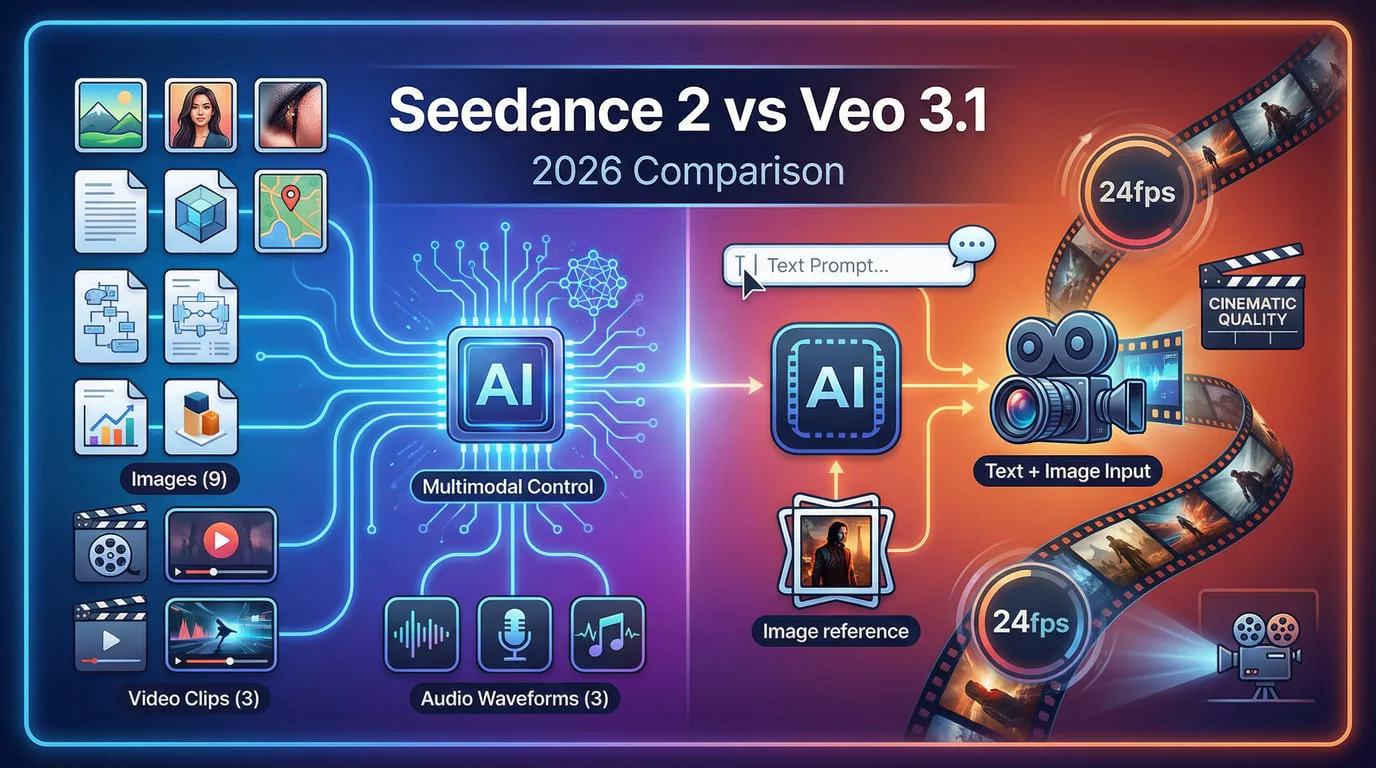
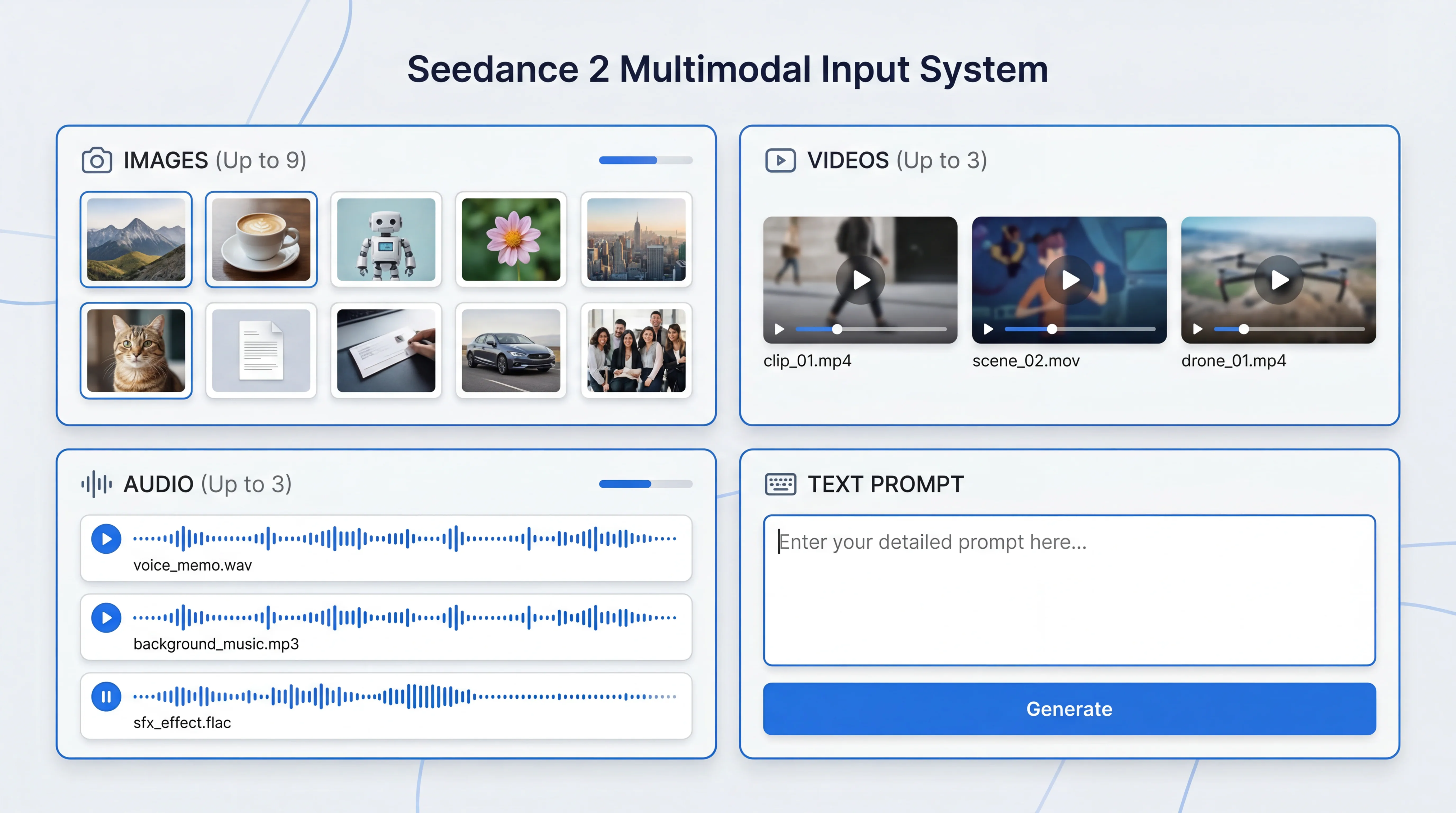
The defining feature of Seedance 2 is its quad-modal input system, which accepts up to 12 reference files in a single generation:
-
Images (up to 9): Lock character appearances, define scene composition, establish visual style
-
Videos (up to 3, max 15s each): Replicate camera movements, copy action sequences, reference motion dynamics
-
Audio (up to 3, max 15s each): Sync video to music beats, match rhythm patterns, generate visuals from sound
-
Text prompts: Provide narrative context, specify details, guide creative direction
This multimodal approach solves one of the most frustrating problems in AI video generation: unpredictability. Instead of writing increasingly complex text prompts and hoping the AI understands your vision, you can now show the model exactly what you want through reference materials.
The @ Mention System: Precision Control Over Every Element
Seedance 2 introduces an intuitive @ mention system that gives creators explicit control over how each uploaded asset influences the generation. In your text prompt, you can reference specific files and define their purpose:
@Image1 as the first frame, reference @Video1 for camera movement,
use @Audio1 for background music rhythm
This level of specificity was previously impossible in AI video generation. You're no longer at the mercy of the model's interpretation—you're directing it with precision comparable to instructing a human film crew.
Seedance 2 Core Capabilities: What It Does Best
1. Character Consistency That Actually Works
The most common complaint about AI video generators has always been character drift—the phenomenon where a character's appearance subtly (or dramatically) changes between shots or even within a single sequence. Seedance 2 addresses this head-on with what testers describe as "locked" character consistency.
Upload a reference image of a character, and Seedance 2 will maintain that character's facial features, proportions, clothing, and even subtle details like accessories across multiple generations. This isn't occasional success—it's the default behavior. Creators report that character consistency is now reliable enough for commercial applications, including branded content and narrative storytelling.
2. Multi-Shot Storytelling with Narrative Coherence
Perhaps the most impressive capability is Seedance 2's native multi-shot generation. Unlike tools that produce isolated clips, Seedance 2 can generate sequences with 2-3 shot transitions in a single 10-15 second video, complete with:
-
Smooth camera transitions between wide, medium, and close-up shots
-
Consistent lighting and atmosphere across cuts
-
Logical narrative progression that follows story beats
-
Maintained character and environment continuity
This transforms AI video from a "clip generator" into a genuine storytelling tool. You can now create complete scenes with beginning, middle, and end—all in one generation.
3. Physics-Accurate Motion and Realism
One of the telltale signs of AI-generated video has historically been unnatural motion—objects that don't obey gravity, liquids that behave strangely, or human movements that feel robotic. Seedance 2 demonstrates a sophisticated understanding of physical laws:
-
Realistic gravity and momentum in object movement
-
Natural fluid dynamics for water, smoke, and other effects
-
Believable human body mechanics and weight distribution
-
Accurate light reflection and shadow behavior
The result is video that passes the "eye test"—viewers don't immediately recognize it as AI-generated based on motion quality alone.
4. Native Audio-Visual Synchronization
Unlike earlier models that required separate audio post-production, Seedance 2 generates synchronized audio alongside video content. This includes:
-
Dialogue with accurate lip-sync
-
Contextually appropriate sound effects
-
Ambient audio that matches the scene
-
Music-driven generation where video movements sync to audio beats
For creators working on dialogue-heavy content or music videos, this native audio capability eliminates hours of manual synchronization work.
Seedance 2 vs Competitors: How It Stacks Up
| Feature | Seedance 2 | Sora 2 | Veo 3.1 | Kling 3.0 |
|---|---|---|---|---|
| Max Duration | 15 seconds | 20 seconds | 8 seconds | 10 seconds |
| Resolution | 1080p | 1080p | 1080p | 1080p |
| Multimodal Input | 4 types (12 files) | Limited | Limited | 2 types |
| Character Consistency | Excellent | Excellent | Good | Very Good |
| Multi-Shot Native | Yes (2-3 shots) | Yes | No | No |
| Native Audio | Yes (dialogue + SFX) | Yes (comprehensive) | Limited | Yes |
| Generation Speed | 3-5 minutes | 4-7 minutes | 2-4 minutes | 3-6 minutes |
| Physics Realism | Very Good | Excellent | Very Good | Good |
| Price per 10s | ~$3.00 | ~$1.50 | ~$2.00 | ~$2.50 |
Seedance 2 vs Sora 2: The Head-to-Head
The most common comparison creators make is between Seedance 2 and OpenAI's Sora 2. Both represent the current state-of-the-art in AI video generation, but they excel in different areas.
Seedance 2's advantages:
-
Superior multimodal control with the @ mention system
-
More flexible input combinations (12 files vs Sora's limited multimodal)
-
Better template replication and style transfer
-
Faster iteration for testing multiple creative variants
Sora 2's advantages:
-
Longer maximum duration (20 seconds vs 15)
-
More comprehensive audio generation including background music
-
Slightly better physics simulation in complex scenarios
-
More photorealistic output in certain lighting conditions
The verdict: Choose Seedance 2 when you need precise control over specific elements and plan to use reference materials extensively. Choose Sora 2 when you need longer clips or are creating content that demands absolute physics accuracy.
Seedance 2 vs Veo 3.1: Google's Contender
Google's Veo 3.1 takes a different approach, prioritizing photorealism and lighting quality over duration and multimodal flexibility.
Seedance 2 wins on:
-
Duration (15s vs 8s)
-
Multimodal input variety
-
Multi-shot native generation
-
Character consistency across shots
Veo 3.1 wins on:
-
Photorealistic rendering quality
-
Lighting and shadow accuracy
-
Generation speed
-
Cinematic color grading
Veo 3.1 is ideal for product showcases and scenarios requiring maximum visual fidelity in shorter clips. Seedance 2 is better for narrative content and situations where you need to maintain consistency across multiple shots.
Real-World Testing: Seedance 2 Performance Analysis
To evaluate Seedance 2 beyond marketing claims, we conducted extensive testing across multiple use cases that represent common creator needs.
Test 1: Character Expression Control
Objective: Generate a video showing subtle emotional transitions from neutral to concerned to slightly smiling.
Method: Single character portrait image as first frame, detailed text prompt specifying expression changes with timing.
Results: Seedance 2 successfully rendered micro-expressions including eyebrow movement, pupil dilation, and controlled smile progression. The transitions felt natural rather than exaggerated. Minor criticism: the smile leaned slightly toward "professional" rather than genuinely warm, but remained within acceptable parameters for most applications.
Success Rate: 8/10 generations met quality standards without regeneration.
Test 2: Complex Camera Movement
Objective: Create a smooth push-in shot from full body to close-up face, maintaining focus and composition throughout.
Method: Reference image for character, detailed camera movement description in prompt.
Results: Camera movement was fluid with no stuttering or speed inconsistencies. The model maintained proper focus throughout the push-in, and the final framing was well-composed. Lighting remained consistent from start to finish.
Success Rate: 9/10 generations were usable without modification.
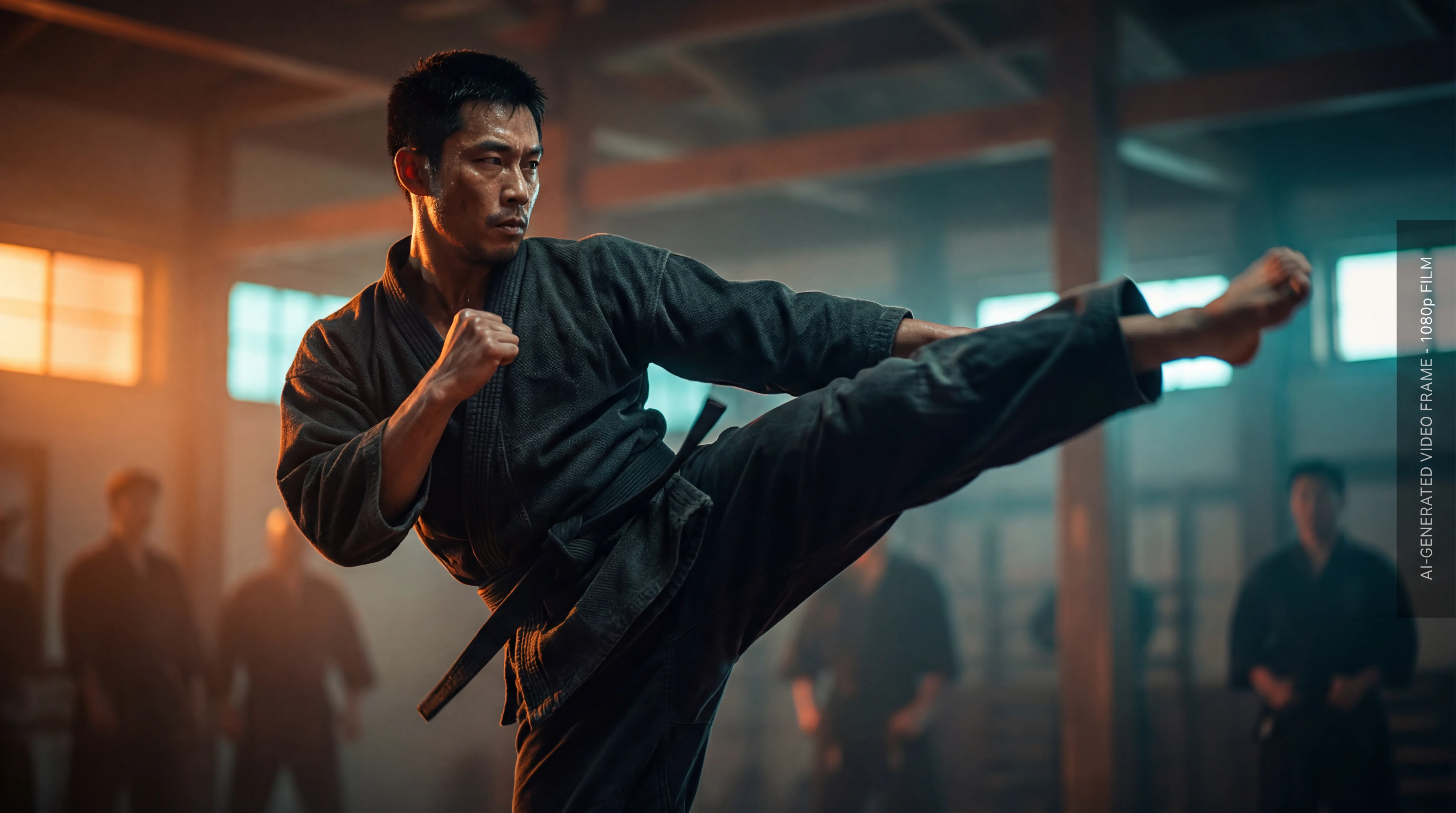
Test 3: Multi-Modal Combat Scene
Objective: Generate an action sequence combining character images, reference video for fighting choreography, and audio for impact timing.
Method:
-
@Image1: Main character reference
-
@Image2: Opponent reference
-
@Video1: Martial arts reference for movement style
-
@Audio1: Impact sound effects for timing
-
Text prompt: Detailed fight choreography
Results: This was the most ambitious test, and results were mixed. When successful, Seedance 2 produced remarkably coherent action with proper timing to audio cues. Character consistency held up even during rapid movement. However, complex multi-subject scenes required 2-3 attempts to achieve desired results.
Success Rate: 6/10 generations met standards, but successful outputs were exceptional quality.
Test 4: Template Replication
Objective: Replicate a trending video format using only a reference video and new character images.
Method: Upload trending video template as @Video1, specify new characters via @Image1 and @Image2, minimal text prompt.
Results: Seedance 2 excelled at this task, accurately capturing the reference video's pacing, transitions, and overall structure while seamlessly integrating new characters. This capability is particularly valuable for social media creators who need to quickly adapt trending formats.
Success Rate: 9/10 generations successfully replicated template structure.
Practical Applications: Who Should Use Seedance 2?
Social Media Creators
Seedance 2's template replication and rapid iteration capabilities make it ideal for content creators who need to produce high volumes of trending format videos. The ability to maintain character consistency across multiple videos enables building recognizable branded content.
Best use cases:
-
Trending format adaptations
-
Character-based storytelling series
-
Product demonstration videos
-
Educational content with consistent presenter
Marketing and Advertising Professionals
The multimodal control system allows marketers to maintain brand consistency while testing multiple creative variants quickly. Native audio generation reduces production time significantly.
Best use cases:
-
Product showcase videos
-
Brand storytelling content
-
A/B testing creative concepts
-
Social media ad variations
Independent Filmmakers and Animators
Multi-shot narrative capability and character consistency enable creators to produce short films and animated content that was previously impossible without traditional production resources.
Best use cases:
-
Short film pre-visualization
-
Animated series production
-
Music video creation
-
Proof-of-concept demonstrations
E-commerce and Product Creators
For businesses selling physical products, Seedance 2 enables rapid creation of demonstration videos without expensive photoshoots.
Best use cases:
-
Product feature demonstrations
-
Usage tutorial videos
-
Lifestyle context videos
-
Comparison content
Limitations and Considerations
Despite its impressive capabilities, Seedance 2 has notable limitations that creators should understand:
1. Duration Constraints
The 15-second maximum per generation requires planning for longer content. While the video extension feature helps, creating 60+ second narratives requires multiple generations and careful continuity management.
2. Complex Scene Challenges
Scenes with multiple characters performing different simultaneous actions still challenge the model. Success rates drop when you exceed 2-3 primary subjects with independent action sequences.
3. Text and Typography
While improved over previous versions, on-screen text generation remains inconsistent. For content requiring precise typography, plan to add text in post-production.
4. Fine Motor Control
Detailed hand movements, particularly for activities like playing instruments or typing, don't yet match human-level realism. Wide shots work better than extreme close-ups of hands.
5. Generation Cost
At approximately $3 per 10-second video, costs can accumulate quickly during the iteration phase. Budget-conscious creators should plan generations carefully and use lower-cost models for initial testing.
6. Learning Curve
The multimodal system's power comes with complexity. New users need time to understand optimal file combinations and prompt structures. Expect a learning period of 10-20 generations before achieving consistent results.
How to Get Started with Seedance 2
Seedance 2 is accessible through multiple platforms, but for the most comprehensive feature set and seamless workflow integration, we recommend using SeaDanceAI.com.
Quick Start Guide
Step 1: Prepare Your Assets
-
Gather reference images (PNG or JPG, high resolution recommended)
-
Prepare reference videos if needed (MP4, max 15 seconds)
-
Have audio files ready if using rhythm sync (MP3 or WAV, max 15 seconds)
Step 2: Structure Your Prompt
-
Start with the core action or narrative
-
Use @ mentions to reference specific files
-
Specify camera movements and transitions
-
Include style and mood descriptors
Step 3: Configure Generation Settings
-
Select duration (4-15 seconds)
-
Choose aspect ratio based on platform (16:9 for YouTube, 9:16 for TikTok/Reels)
-
Set quality level (standard for testing, high for final output)
Step 4: Generate and Iterate
-
Review initial output
-
Identify elements to adjust
-
Refine prompt or change reference materials
-
Regenerate with modifications
Best Practices for Optimal Results
1. Start Simple, Then Add Complexity
Begin with basic text-to-video or single-image generations before incorporating multiple reference files. This helps you understand the model's baseline behavior.
2. Use High-Quality Reference Materials
The model can only work with the quality you provide. Use clear, well-lit reference images and clean audio files for best results.
3. Be Specific About Timing
When describing action sequences, specify timing: "In the first 3 seconds... then for the next 5 seconds... finally..."
4. Leverage the Extension Feature
For longer narratives, generate the opening sequence first, then use video extension to continue the story while maintaining continuity.
5. Create a Reference Library
Build a collection of successful reference videos for camera movements, character images for consistent personas, and audio clips for common rhythm patterns.
Seedance 2 Pricing and Accessibility
Seedance 2 is available through several platforms with varying pricing structures:
Official Platforms:
-
Jimeng (即梦): Requires 119 yuan (~$17) monthly subscription for standard access
-
Xiaoyunque (小云雀): Alternative ByteDance platform with similar pricing
-
Seedance 2: Flexible credit-based system starting at $0.30 per second
Cost Comparison:
-
10-second video: ~$3.00
-
5-second video: ~$1.50
-
Video extension (5s): ~$1.50
For professional creators producing multiple videos daily, subscription models offer better value. For occasional users or those testing the platform, credit-based systems provide more flexibility.
The Future of AI Video Generation: Where Seedance 2 Fits
Seedance 2 represents a critical inflection point in AI video generation. It's the first model that feels genuinely production-ready for commercial applications, not just experimental content creation.
The shift from "text-to-video" to "multimodal-to-video" fundamentally changes the creative process. Instead of trying to describe everything in words, creators can now communicate through the universal language of visual reference—the same way human directors work with cinematographers and actors.
However, this also raises the bar for what constitutes valuable creative work. When technical execution becomes accessible to everyone, the differentiators become:
-
Curatorial skill: Finding the right reference materials
-
Narrative ability: Structuring compelling stories
-
Aesthetic judgment: Recognizing quality and making refinement decisions
-
Strategic thinking: Understanding what content serves your goals
Seedance 2 doesn't replace these human capabilities—it amplifies them. The creators who thrive will be those who combine strong creative vision with technical proficiency in these new tools.
Final Verdict: Is Seedance 2 Worth It?
Seedance 2 earns a strong recommendation for:
✅ Social media creators needing high-volume content production
✅ Marketing professionals requiring brand-consistent video variations
✅ Independent filmmakers exploring AI-assisted storytelling
✅ Product businesses creating demonstration content
✅ Anyone frustrated by character inconsistency in other AI video tools
Consider alternatives if you need:
❌ Videos longer than 20 seconds in single generation (consider Sora 2)
❌ Absolute maximum photorealism (consider Veo 3.1)
❌ Extensive manual control over every frame (consider Runway)
❌ Budget-friendly experimentation (start with free-tier alternatives)
The bottom line: Seedance 2 delivers on its promise of director-level control in AI video generation. Its multimodal input system genuinely solves the consistency and controllability problems that have plagued the field. While not perfect—no AI video tool is—it represents the current state-of-the-art in balancing quality, control, and practical usability.
For creators ready to integrate AI video into professional workflows, Seedance 2 is no longer just an option—it's becoming essential. The question isn't whether AI video generation will transform content creation, but whether you'll be among the early adopters who master these tools while the competitive advantage still exists.
Ready to experience Seedance 2's capabilities? Get started with the most comprehensive platform for AI video generation at Seedance 2, where you'll find not just Seedance 2, but access to multiple cutting-edge video and image generation models in one convenient workspace.
Last updated: February 2026. AI video generation technology evolves rapidly. Check back regularly for updates on new features and capabilities.