The AI video generation landscape experienced a seismic shift in early 2026 when ByteDance quietly released Seedance 2.0, a revolutionary multimodal video generation model that's being called the "ChatGPT moment" for the film and video industry. Unlike previous AI video tools that required complex workflows and multiple software applications, Seedance 2 enables creators to generate professional-quality videos from a single sentence prompt combined with reference materials.
In this comprehensive guide, we'll explore everything you need to know about Seedance 2, from its groundbreaking capabilities to practical techniques for creating stunning videos. Whether you're a content creator, filmmaker, or marketing professional, this guide will help you harness the full power of this game-changing technology.
What Makes Seedance 2 Revolutionary?
Seedance 2 represents a fundamental breakthrough in AI video generation by introducing true multimodal capabilities. While earlier models like Sora, Veo, and Kling focused primarily on text-to-video or image-to-video generation, Seedance 2 adopts a unified multimodal audio-video joint generation architecture that supports text, image, audio, and video inputs simultaneously.
This means you can now combine up to 12 reference files in a single generation—including images for visual style, video clips for motion reference, audio tracks for rhythm synchronization, and text prompts for scene description. The model intelligently interprets each input's role and fuses them into coherent, cinematic output with minimal trial and error.
Key Capabilities That Set Seedance 2 Apart
1. Native Audio-Visual Generation
Unlike most AI video models that generate silent output requiring post-production audio work, Seedance 2 generates synchronized audio natively. The model automatically creates dialogue, ambient soundscapes, and real-time sound effects that match the visuals frame by frame, eliminating the need for manual audio editing.
2. Director-Level Thinking
Perhaps the most impressive aspect of Seedance 2 is its ability to think like a director. The model doesn't just generate single shots—it creates multi-shot sequences with automatic shot composition, camera angle transitions, and narrative flow. This represents a shift from "generating footage" to "creating finished scenes."
3. Precision Motion Replication
Seedance 2 can replicate complex camera movements and character actions from reference videos with remarkable accuracy. Upload a reference video showcasing intricate choreography, martial arts sequences, or sophisticated camera work, and the model will recreate those movements with your own characters and settings.
4. Music Beat Synchronization
The model features advanced rhythm detection that automatically syncs visual elements to audio beats. This capability is particularly valuable for creating music videos, dance content, and promotional materials where timing is critical.
How Seedance 2 Compares to Other AI Video Models
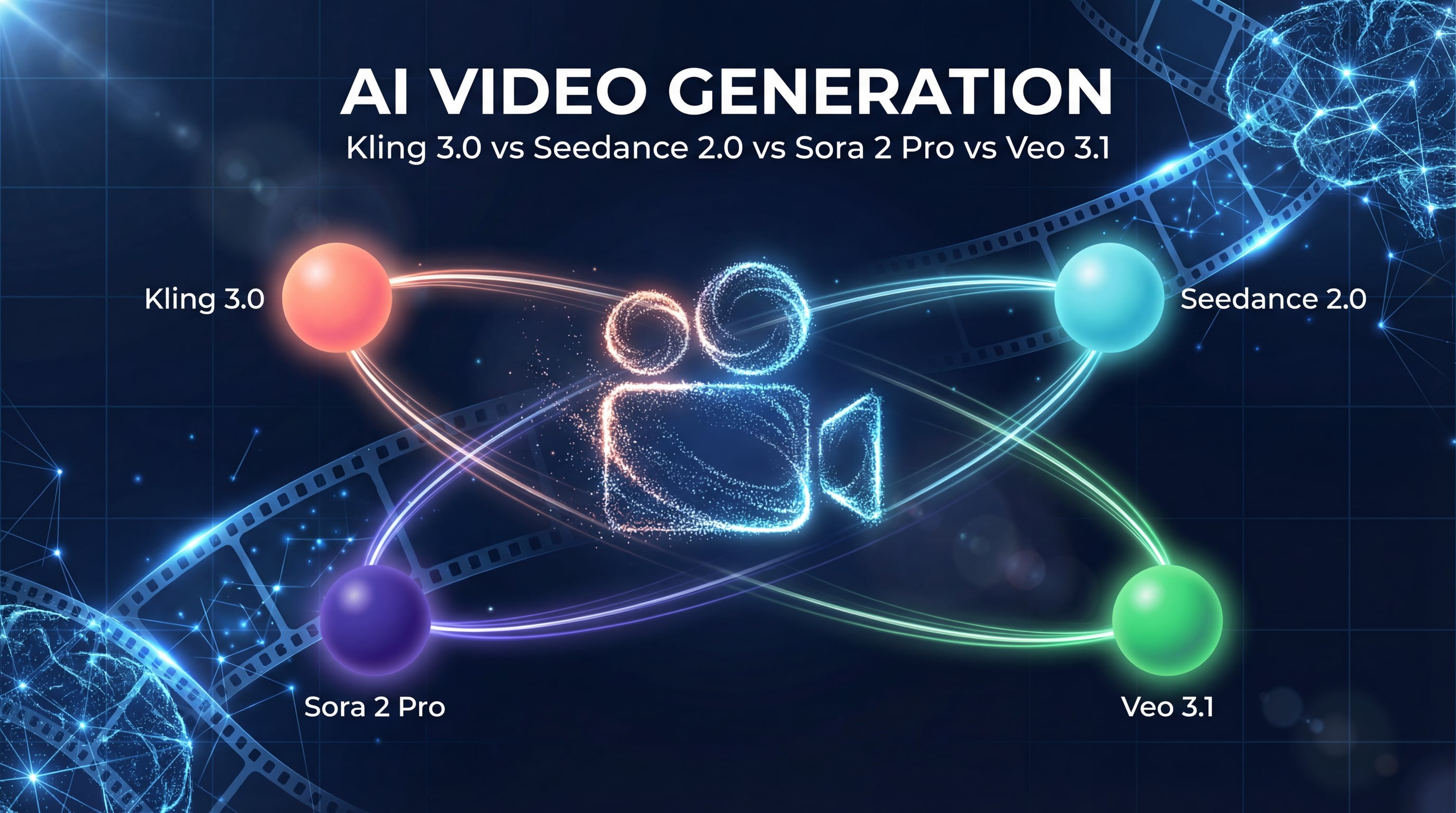
To understand where Seedance 2 fits in the competitive landscape, let's examine how it stacks up against other leading AI video generation models in 2026:
| Feature | Seedance 2 | Sora 2 | Veo 3.1 | Kling 3.0 | Runway Gen-4.5 |
|---|---|---|---|---|---|
| Max Video Length | 15 seconds | 20 seconds | 2 minutes | 2 minutes | 10 seconds |
| Resolution | 1080p | 1080p | 4K native | 1080p | 1080p |
| Native Audio | ✅ Yes | ✅ Yes | ✅ Yes | ✅ Yes | ❌ No |
| Multimodal Input | Text, Image, Video, Audio (up to 12 files) | Text, Image | Text, Image, Video | Text, Image, Video | Text, Image |
| Audio Reference | ✅ Unique capability | ❌ No | ❌ No | ❌ No | ❌ No |
| Multi-shot Sequences | ✅ Yes | Limited | Limited | ✅ Yes | Limited |
| Motion Replication | Excellent | Good | Good | Excellent | Good |
| Character Consistency | 90%+ success rate | Excellent | Good | Excellent | Good |
| Pricing Model | Credit-based | Subscription | Subscription | Credit-based | Subscription |
According to recent comparative analyses, Seedance 2 excels specifically in compositional control and template-based workflows, while Sora 2 leads in physics simulation and Veo 3.1 offers the highest resolution output.
The consensus among industry professionals is that no single model dominates all use cases. Many production teams now use multiple models strategically—Seedance 2 for template-based work and complex multimodal compositions, Kling 3.0 for rapid prototyping, and Sora 2 or Veo 3.1 for final high-quality deliverables.
Understanding Seedance 2's Multimodal Architecture
The foundation of Seedance 2's capabilities lies in its multimodal architecture. Unlike traditional single-input models, Seedance 2 processes four distinct data types simultaneously:
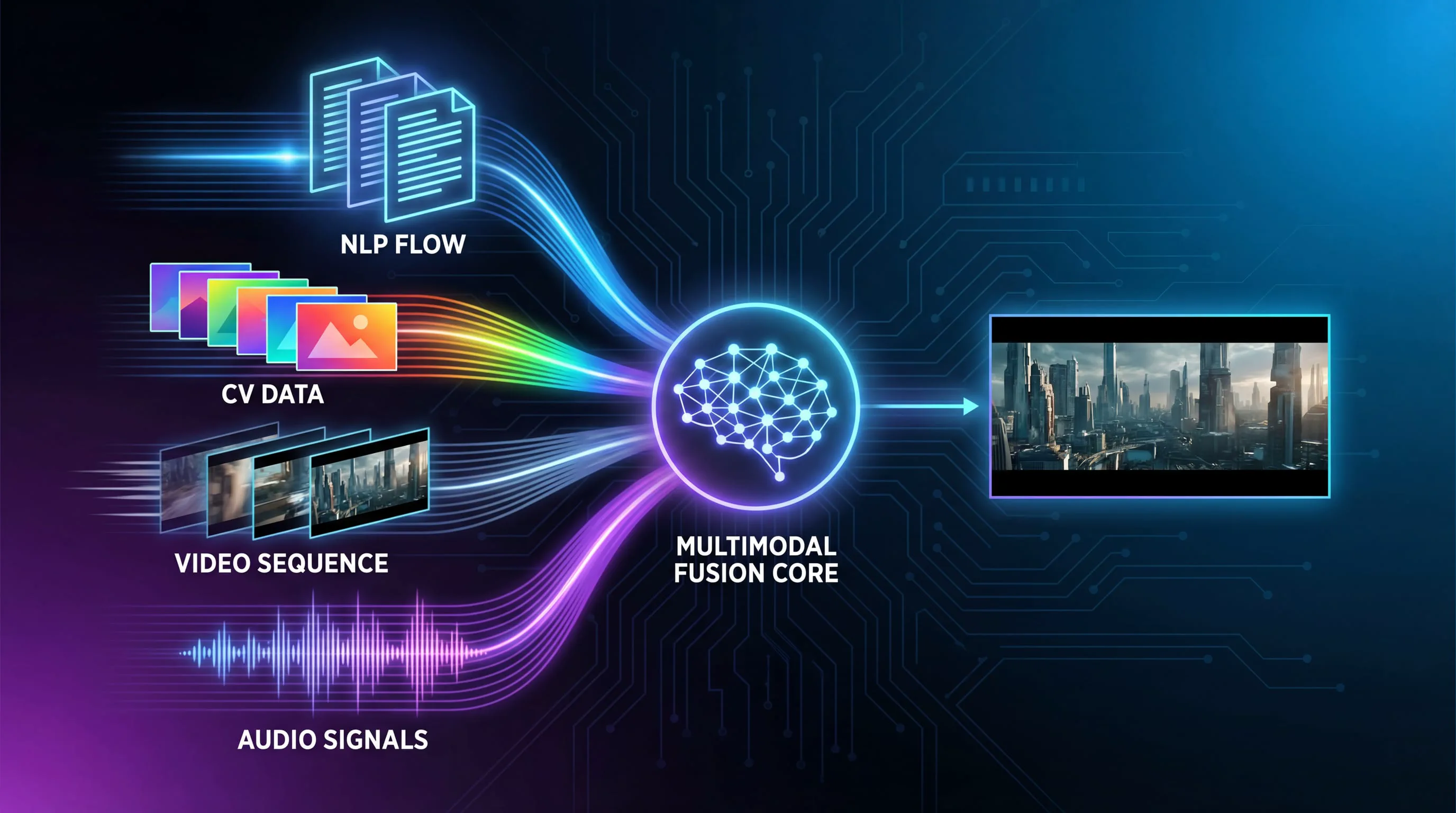
The Four Input Modalities
Text Prompts: Natural language descriptions that define the scene, action, mood, and technical specifications. Text serves as the primary directive for generation.
Image References: Static images that establish visual style, character appearance, scene composition, or product details. You can upload up to 9 images per generation.
Video References: Video clips that define motion patterns, camera movements, choreography, or special effects. Maximum 3 videos totaling 15 seconds.
Audio References: Sound files that control rhythm, provide background music, or establish audio atmosphere. Up to 3 audio files per generation.
The model uses a sophisticated @ reference system that allows you to explicitly assign roles to each input. For example, @Image1 might define your main character's appearance, @Video1 could specify the motion style, and @Audio1 might set the rhythm for beat-synchronized editing.
How the Model Processes Multiple Inputs
When you submit a multimodal prompt, Seedance 2's architecture performs several simultaneous operations:
-
Semantic Understanding: The text encoder processes your natural language prompt to understand intent, scene requirements, and creative direction.
-
Visual Analysis: Image and video encoders extract features including composition, lighting, color palette, object relationships, and motion dynamics.
-
Audio Processing: The audio encoder analyzes rhythm, tempo, mood, and sound characteristics to inform both visual generation and audio synthesis.
-
Cross-Modal Fusion: A unified transformer architecture merges information from all modalities, resolving conflicts and creating a coherent generation plan.
-
Joint Audio-Video Generation: Unlike models that generate video first and add audio later, Seedance 2 generates both simultaneously, ensuring perfect synchronization.
This architecture explains why Seedance 2 can maintain character consistency across complex scenes, replicate intricate motions accurately, and produce videos where audio and visual elements feel naturally integrated rather than artificially combined.
13 Practical Techniques for Mastering Seedance 2
Based on extensive testing and real-world applications, here are the most effective techniques for getting professional results from Seedance 2:
1. Enhanced Foundation Capabilities
Seedance 2 demonstrates significantly improved physics simulation, motion fluidity, and style consistency compared to its predecessor. The model better understands real-world physics, making object interactions, fabric movement, and character actions more believable.
Practical Application: For everyday scenes like hanging laundry or cooking, you can now use simple prompts with a single reference image and expect natural, fluid motion without artifacts.
Example Prompt: "A woman elegantly hanging clothes on a line, then reaching into the basket to pull out another garment and shaking it vigorously."
Best Practice: Even for simple scenes, include specific action verbs and sequence descriptions to guide the model's motion generation.
2. Multimodal Combination for Complex Narratives
The true power of Seedance 2 emerges when combining multiple input types to create emotionally resonant narratives.
Practical Application: Creating a commercial or short film scene that requires specific characters, locations, and emotional beats.
Example Setup:
- Image 1: Main character reference
- Image 2-3: Location/environment references
- Image 4: Supporting character or prop reference
- Text Prompt: Detailed scene description with emotional direction
Example Prompt: "Man from @Image1 walks wearily down a corridor after work, his pace slowing until he stops at his front door. Close-up on his face as he takes a deep breath, adjusting his emotions and putting away negative feelings. He finds his keys, inserts them into the lock, and enters. Inside, his young daughter and a pet cat run joyfully to greet him with hugs. The interior is warm and inviting. Include natural dialogue throughout."
Best Practice: When working with multiple images, explicitly reference each one using @Image notation and specify its role (character, environment, prop, etc.).
3. Character and Style Consistency
Maintaining consistent character appearance and visual style across shots is critical for professional content.
Practical Application: Product demonstrations, brand videos, or any content requiring visual continuity.
Example Setup:
- Image 1: Product design reference
- Image 2: Side view or detail reference
- Image 3: Material/texture reference
- Text Prompt: Commercial-style presentation instructions
Example Prompt: "Commercial photography showcase of the bag from @Image2, with the side profile referencing @Image1 and surface material referencing @Image3. Display all details of the bag with smooth camera movements. Background should be grand and atmospheric with epic audio."
Best Practice: Use multiple angles of the same subject to give the model comprehensive understanding of the object's three-dimensional form and appearance.
4. Advanced Camera Work and Motion Replication
One of Seedance 2's standout features is its ability to replicate complex camera movements and cinematography techniques from reference videos.
Practical Application: Recreating professional cinematography, music video aesthetics, or viral video formats with your own content.
Example Setup:
- Image 1-3: Character and environment references
- Video 1: Reference video demonstrating desired camera movements
- Text Prompt: Specific instructions for motion and camera replication
Example Prompt: "Using the man from @Image1 in the elevator from @Image2, replicate all camera movements and facial expressions from @Video1. Apply Hitchcock zoom effect during moments of panic, then use several orbiting shots to show the elevator interior perspective. When doors open, follow the character with tracking shots as he exits. The exterior environment references @Image3. The man looks around, and the camera follows his sight lines using mechanical arm-style multi-angle tracking as shown in @Video1."
Best Practice: When referencing camera techniques, use specific cinematography terminology (dolly zoom, tracking shot, crane shot, etc.) to help the model understand your intent.
5. Creative Template and Complex Effect Replication
Seedance 2 excels at "recreating" existing video formats—perfect for adapting trending content or replicating high-production-value effects.
Practical Application: Adapting viral video formats, recreating commercial styles, or implementing complex visual effects without VFX expertise.
Example Setup:
- Multiple images: Character and scene references
- Video 1: Template/style reference
- Text Prompt: Detailed replication instructions
Example Prompt: "Replace the person in @Video1 with @Image1 as the first frame. The character puts on futuristic VR goggles. Reference the camera movements from @Video1—an extremely close orbiting shot that transitions from third-person to the character's POV. Inside the AI virtual goggles, travel through the deep blue universe from @Image2 with several spaceships flying toward the distance. Camera follows the ships as they travel into the pixel world from @Image3..."
Best Practice: Break complex sequences into clear phases (setup → transition → main action → conclusion) to help the model understand the narrative structure.
6. Enhanced Creativity and Story Completion
Seedance 2 demonstrates impressive ability to "fill in the gaps" and add creative flourishes that enhance storytelling.
Practical Application: Comic adaptation, storyboard animation, or any scenario where you have key moments but need the model to create connecting action.
Example Setup:
- Image 1: Comic panel or storyboard
- Video 1: Reference for pacing and style
- Text Prompt: Instructions for panel-by-panel adaptation
Example Prompt: "Adapt @Image1 in sequence from left to right, top to bottom. Maintain all character dialogue exactly as shown in the image. Add special sound effects for scene transitions and key plot moments. Overall style should be humorous and lighthearted. Adaptation style references @Video1."
Best Practice: When adapting static content like comics, specify reading order clearly and indicate which elements are fixed (dialogue, key poses) versus flexible (transitions, camera angles).
7. Seamless Video Extension
The video extension feature allows you to continue existing clips or create longer sequences by generating additional footage that flows naturally from your initial content.
Practical Application: Creating longer narratives, developing multi-scene commercials, or building complete stories from initial concepts.
Example Setup:
- Multiple images: Character and scene references
- Text Prompt: Sequential scene descriptions
- Duration: 15 seconds
Example Prompt: "Extend 15s video referencing the donkey riding a motorcycle from @Image1 and @Image2. Create a creative commercial sequence. Scene 1: Side-angle fixed camera, donkey rides motorcycle bursting out of a barn, chickens scatter in panic. Scene 2: Donkey circles on sandy ground—close-up of motorcycle tires, then cut to aerial view of donkey performing circular stunts, creating dust clouds. Scene 3: Mountain backdrop, donkey rides up a slope and launches into the air..."
Best Practice: Structure extended sequences with clear scene breaks and specific camera angles for each segment to maintain coherence across the full duration.
8. Precise Audio Matching and Voice Quality
Seedance 2's native audio generation produces remarkably accurate sound effects, ambient audio, and even character voices with proper lip synchronization.
Practical Application: Creating videos that require specific audio atmosphere, sound effects timing, or character dialogue.
Example Setup:
- Video references: For visual style and dialogue pacing
- Audio reference: For sound atmosphere
- Text Prompt: Specific audio requirements
Example Prompt: "Fixed camera angle, central fisheye lens looking down through a circular opening. Reference the fisheye perspective from @Video1. Make the cat from @Video2 look up toward the fisheye lens. Reference speaking movements from @Video1. Background music references audio effects from @Video3."
Best Practice: When audio quality is critical, provide audio reference files that match your desired sound design, and mention specific audio elements (dialogue, sound effects, ambient sound) in your prompt.
9. One-Shot Continuity (Single Take Effect)
Creating seamless "one-shot" videos that flow through multiple locations or scenarios without visible cuts.
Practical Application: Cinematic sequences, music videos, or any content where continuous flow enhances impact.
Example Setup:
- Multiple images: Sequential location references
- Text Prompt: Continuous camera movement description
Example Prompt: "Using @Image1 @Image2 @Image3 @Image4 @Image5, create a continuous tracking shot following a runner from street level, up stairs, through a corridor, onto a rooftop, and finally overlooking the city."
Best Practice: Arrange your reference images in the exact sequence you want them to appear, and use continuous camera movement language (tracking, following, flowing) to emphasize the one-shot nature.
10. Video Editing and Remixing
Beyond generation, Seedance 2 can modify existing videos—changing plot elements, altering character actions, or completely reimagining scenes.
Practical Application: Creating alternate versions, parodies, or dramatically different interpretations of existing content.
Example Setup:
- Video 1: Source video to modify
- Text Prompt: Specific changes to implement
Example Prompt: "Subvert the plot of @Video1. The man's eyes shift from gentle to cold and ruthless. In the moment when Rose is unprepared, he violently pushes the female lead off the bridge into the water. The action is decisive and without hesitation, completely overturning the original romantic character setup. As the woman falls into the water, she doesn't scream but looks up with disbelieving eyes, shouting: 'You've been lying to me from the beginning!' The man stands on the bridge, revealing a cold smile, and says quietly toward the water: 'This is what you owe my family.'"
Best Practice: When dramatically altering existing video content, provide very specific direction for the new emotional tone, character motivations, and key dialogue to ensure the model understands the complete narrative shift.
11. Music Beat Synchronization
Automatic synchronization of visual elements to audio rhythm creates professional-looking music videos and promotional content.
Practical Application: Fashion videos, product launches, social media content, or any scenario where visual rhythm matters.
Example Setup:
- Multiple images: Subject and costume variations
- Video 1: Rhythm/pacing reference
- Text Prompt: Beat-sync instructions
Example Prompt: "The girl in the poster continuously changes outfits, with clothing styles referencing @Image1 and @Image2. She holds the bag from @Image3. Video rhythm references @Video1."
Best Practice: Choose reference videos with clear, pronounced beats. The model performs best when the rhythm is obvious and consistent.
12. Enhanced Emotional Expression
Character emotions and expressions have improved dramatically, allowing for nuanced performances that convey complex feelings.
Practical Application: Dramatic scenes, testimonials, or any content requiring authentic emotional connection.
Example Setup:
- Multiple images: Character and scene references
- Text Prompt: Detailed emotional direction
Example Prompt: "This is a range hood commercial. Using @Image1 as the first frame, a woman cooks elegantly without smoke. Camera rapidly pans right to capture @Image2—a man sweating profusely with a flushed face cooking in thick smoke. Camera pans left and pushes in to show the range hood on the table from @Image1, referencing the design from @Image4. The range hood aggressively extracts smoke."
Best Practice: Use specific emotional descriptors (anxious, triumphant, conflicted, serene) rather than generic terms (happy, sad) to get more nuanced performances.
13. Advanced Techniques and Special Use Cases
Storyboard-to-Video Conversion: Upload detailed storyboards or shot lists, and Seedance 2 can interpret the visual planning and generate corresponding footage.
Precise Timing Control: Specify exact timings for different segments (0-3 seconds: action A, 4-8 seconds: action B) to control pacing precisely.
Multi-language Support: The model supports dialogue generation in multiple languages including English, Chinese, Japanese, and even regional dialects like Cantonese and Sichuan dialect.
Lip-sync Accuracy: When generating dialogue, the model produces accurate lip movements synchronized to speech, eliminating the need for separate lip-sync tools.
Crafting Effective Prompts for Seedance 2
Writing effective prompts is crucial for getting the best results from Seedance 2. Here's a framework based on successful real-world usage:
Prompt Structure Template
[Scene Setup] + [Character/Subject Description] + [Action Sequence] +
[Camera Direction] + [Emotional Tone] + [Technical Specifications] +
[Reference Assignments]
Essential Prompt Elements
1. Scene Context: Where and when the action takes place
- "In a modern kitchen at dawn..."
- "On a rain-soaked city street at night..."
2. Subject Description: Who or what is the focus
- "A professional chef in white uniform..."
- "The sleek smartphone from @Image1..."
3. Action Sequence: What happens, in chronological order
- "First, she chops vegetables quickly, then adds them to the sizzling pan, finally garnishing the dish..."
4. Camera Direction: How the scene should be filmed
- "Start with a wide establishing shot, then push in to a close-up, finally pull back to reveal..."
- "Tracking shot following the subject, then transition to overhead view..."
5. Emotional Tone: The mood and feeling
- "Tense and suspenseful atmosphere..."
- "Warm, inviting, and comfortable mood..."
6. Technical Specifications: Visual style and quality
- "Cinematic lighting with strong shadows..."
- "Bright, high-key commercial photography style..."
7. Reference Assignments: Explicit connections to uploaded files
- "@Image1 defines the main character's appearance"
- "@Video1 shows the desired camera movement style"
- "@Audio1 provides the background music rhythm"
Prompt Writing Best Practices
Be Specific About Sequences: Instead of "they fight," write "Character A throws a punch, Character B ducks and counters with a kick, both characters separate and circle each other."
Use Cinematography Language: Terms like "dolly zoom," "rack focus," "crane shot," and "dutch angle" help the model understand sophisticated camera work.
Specify Timing When Critical: For precise control, include timing markers: "0-3 seconds: establishing shot, 4-7 seconds: character enters frame, 8-12 seconds: close-up reaction."
Layer Your References: Use multiple images to define different aspects—one for character, one for environment, one for lighting style, one for color palette.
Include Audio Direction: Even if not uploading audio files, mention desired sound ("with dramatic orchestral music," "accompanied by ambient street sounds").
Avoid Ambiguity: Instead of "someone walks somewhere," specify "a middle-aged woman in business attire walks confidently through a marble-floored corporate lobby."
Accessing and Using Seedance 2
While Seedance 2 was initially released in China through ByteDance's Jimeng platform, international access has expanded through various platforms and APIs. For the most convenient and feature-complete experience, Seedance AI provides streamlined access to Seedance 2 along with other cutting-edge video and image generation models.
Getting Started
- Create an Account: Sign up for access to the platform
- Understand the Credit System: Seedance 2 uses a credit-based pricing model
- Prepare Your Assets: Gather reference images, videos, or audio files before starting
- Start with Simple Prompts: Begin with basic text-to-video or single-image generations to understand the model's behavior
- Gradually Add Complexity: Once comfortable, experiment with multimodal combinations
Credit Costs and Pricing
Based on current usage patterns:
- Basic Image-to-Video (10 seconds): Approximately 60 credits (~$6 USD)
- With Single Video Reference: Approximately 130 credits (~$13 USD)
- Complex Multimodal (multiple references): 150-200 credits (~$15-20 USD)
While this might seem expensive at first glance, consider the alternative costs:
- Professional videographer: $500-2000 per day
- Video editor: $50-150 per hour
- Motion graphics artist: $75-200 per hour
- Stock footage: $50-500 per clip
For most use cases, Seedance 2 delivers professional-quality results at a fraction of traditional production costs.
Success Rate and Efficiency
One significant advantage of Seedance 2 over earlier AI video models is its dramatically improved success rate. While first-generation tools often required 10-20 attempts to get a usable result (with 70-80% being "unusable"), Seedance 2 achieves approximately 80-90% usability on first generation, according to extensive user testing.
This higher success rate means your effective cost per usable video is much lower than the per-generation price might suggest.
Real-World Applications and Use Cases
Content Creation and Social Media
Short-Form Video: TikTok, Instagram Reels, and YouTube Shorts creators can rapidly produce high-quality content without expensive equipment or location shoots.
Viral Format Adaptation: See a trending video format? Use Seedance 2's template replication to create your own version with custom characters and branding.
Product Demonstrations: E-commerce sellers can create professional product videos showing items in use, from multiple angles, in various settings—all from product photos.
Marketing and Advertising
Commercial Production: Create broadcast-quality commercials at a fraction of traditional production costs. The model's ability to maintain brand consistency across shots makes it ideal for campaign work.
A/B Testing Creative: Generate multiple versions of ad creative quickly to test different approaches, messaging, or visual styles.
Localized Content: Produce region-specific versions of campaigns by changing backgrounds, characters, or cultural elements while maintaining core messaging.
Film and Entertainment
Previsualization: Directors can create detailed previsualization of complex scenes before expensive production begins, helping secure funding and align creative teams.
Concept Development: Quickly visualize story concepts, character designs, and scene compositions during the development phase.
VFX Planning: Plan complex visual effects sequences by generating reference footage that shows intended camera moves and action choreography.
Education and Training
Instructional Videos: Create clear, professional training videos demonstrating procedures, techniques, or concepts without filming real demonstrations.
Historical Recreation: Visualize historical events, scientific processes, or abstract concepts that would be impossible or impractical to film traditionally.
Language Learning: Generate conversational scenarios with accurate lip-sync in multiple languages for immersive language education.
Corporate Communication
Internal Communications: Produce professional internal videos for announcements, training, or company updates without video production teams.
Investor Presentations: Create compelling visual narratives for pitch decks and investor presentations that demonstrate product vision.
Recruitment Content: Showcase company culture and opportunities through engaging video content that attracts top talent.
Current Limitations and Workarounds
Despite its impressive capabilities, Seedance 2 has some limitations worth understanding:
Text Rendering Issues
Problem: Chinese and English text in generated videos often appears garbled or contains character errors.
Workaround: Generate videos without text, then add titles and text overlays in post-production using traditional video editing software.
Future Outlook: Given ByteDance's success with text rendering in their Seedream image model, this limitation will likely be resolved in future updates.
Generation Speed
Problem: Complex multimodal generations can take 5-15 minutes, which slows iterative workflows.
Workaround: Prepare multiple prompts and queue them simultaneously. Use simpler generations for testing concepts before committing to complex multimodal productions.
Content Moderation
Problem: Aggressive content filtering can reject prompts unexpectedly, often without clear explanation of which terms triggered the filter.
Workaround: If a prompt is rejected, try:
- Removing celebrity names or public figure references
- Simplifying action descriptions
- Avoiding potentially sensitive terms
- Breaking complex prompts into simpler components
Best Practice: Save successful prompts as templates to understand what works within the content policy.
Maximum Duration
Problem: 15-second maximum generation length limits long-form content creation.
Workaround: Use the video extension feature to create longer sequences, or generate multiple clips and combine them in post-production. Plan your content in 10-15 second segments.
Character Consistency Across Separate Generations
Problem: While consistency within a single generation is excellent, maintaining exact character appearance across multiple separate generations can be challenging.
Workaround: Generate longer sequences in single takes when possible. When multiple generations are necessary, use the same reference images and detailed character descriptions consistently.
The Future of AI Video Generation
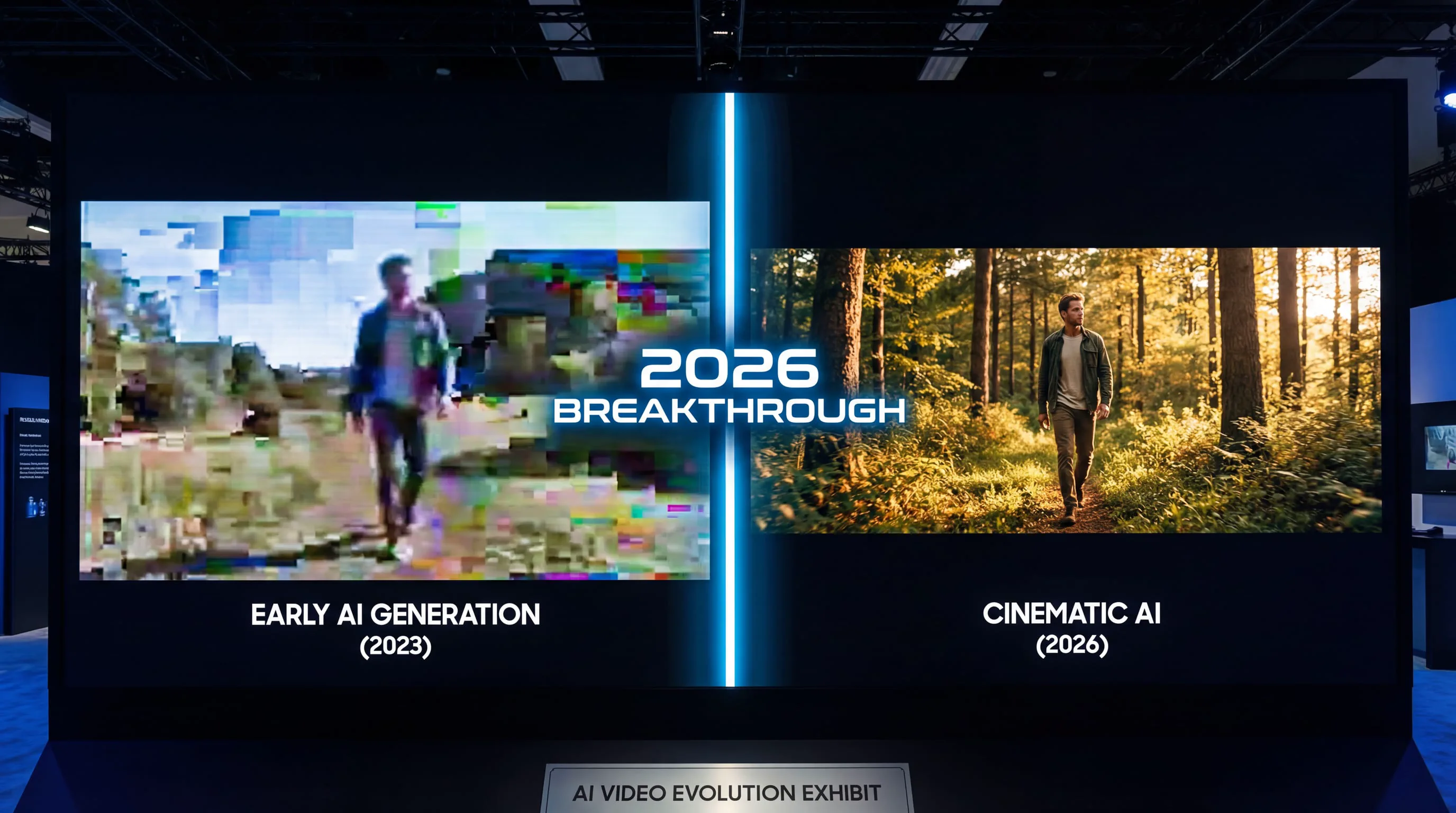
Seedance 2 represents a inflection point in AI video technology. For the first time, a single tool can handle the entire video creation pipeline—from concept to finished product with synchronized audio—in one workflow. This consolidation of capabilities that previously required multiple tools and significant technical expertise signals a fundamental shift in how video content will be created.
Industry Impact
For Professional Creators: Rather than replacing professionals, Seedance 2 amplifies their capabilities. A single skilled creator can now produce content that previously required entire teams, dramatically reducing costs and timelines while maintaining professional quality standards.
For Businesses: The barrier to professional video content has effectively disappeared. Small businesses and startups can now produce marketing materials, product demonstrations, and brand content that competes visually with major corporations.
For Individual Creators: The democratization of video production means anyone with creative vision can produce professional content. The limiting factor is no longer access to equipment or technical skills, but creative direction and storytelling ability.
What's Next
Based on current development trajectories and industry trends, we can anticipate several improvements in the near future:
Extended Duration: Current 15-second limits will likely expand to 30-60 seconds or longer as computational efficiency improves.
4K Resolution: Following Veo 3.1's lead, expect native 4K output to become standard across all major models.
Real-Time Generation: As processing speeds increase, near-real-time generation will enable interactive creative workflows.
Enhanced Control: More sophisticated control mechanisms for precise camera movements, lighting adjustments, and style manipulation.
Improved Text Rendering: Perfect text generation within videos, eliminating the current text garbling issues.
Cross-Generation Consistency: Better tools for maintaining character and style consistency across multiple separate generations, enabling true long-form content creation.
Conclusion: Mastering the New Paradigm
Seedance 2 doesn't just represent an incremental improvement in AI video generation—it's a paradigm shift that fundamentally changes what's possible for individual creators and small teams. The ability to combine text, images, video, and audio references in a single unified workflow, while generating synchronized audio-visual output with director-level shot composition, represents capabilities that simply didn't exist in accessible form before 2026.
The key to mastering Seedance 2 lies not in technical expertise, but in understanding its unique multimodal architecture and learning to communicate your creative vision through the combination of prompts and references. As you experiment with the techniques outlined in this guide, you'll discover that the model rewards specificity, benefits from layered references, and produces increasingly impressive results as you learn its capabilities and limitations.
For creators ready to explore this new frontier, Seedance AI provides convenient access to Seedance 2 alongside other cutting-edge AI models, offering a comprehensive platform for next-generation video creation.
The future of video production isn't about replacing human creativity—it's about amplifying it. Seedance 2 gives creators superpowers, enabling them to bring visions to life that would have been impossible or prohibitively expensive just months ago. The question is no longer whether AI will transform video production, but how quickly creators will adapt to harness these revolutionary capabilities.
The tools are here. The only limit now is imagination.