Turn on Element to add reusable scene references.
Kling 3 for Cinematic AI Video Creation






What is Kling 3.0?
Kling 3.0 is a multimodal AI creation lineup with video and image models, including Kling 3.0 Video and Kling 3.0 Video Omni, built for native audio and controllable short-form output.
One workflow for video, audio, and references
Kling 3.0 runs text, images, audio, and video references in one generation flow. Teams define motion, style, and sound in a single prompt strategy, then produce consistent short clips faster with less handoff between tools.
Native audio for dialogue-first videos
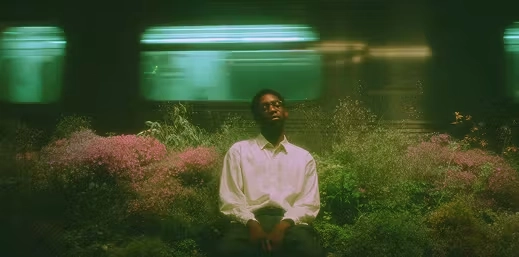
Kling 3.0 generates native audio for short videos, including dialogue and scene-aligned sound layers. This keeps voice timing and visual motion aligned, reduces manual sync fixes, and speeds up multilingual production for explainers and creator-led content.

Stronger reference consistency
Kling 3.0 strengthens identity and style continuity through multi-image and reference-video guidance. Teams keep character traits, product details, and scene logic stable across related clips while iterating pacing, framing, and narrative beats.
Controlled short-form storytelling
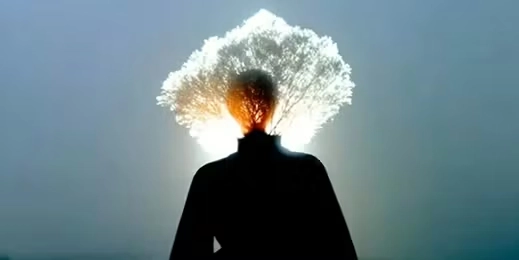
Kling 3.0 is built for short-form storytelling with tighter shot planning and pacing control. It supports durations up to 15 seconds and gives teams practical storyboard-style direction, so they can produce coherent narratives without a heavy manual animation workflow.
How to create videos with Kling 3 on Seedance AI
Follow this practical three-step flow based on the real Kling 3 UI: choose a mode, set core controls, then refine advanced switches for consistency.
Choose Text or Image mode, then define the prompt
Use Text mode for prompt-only generation. Switch to Image mode when you need first-frame or first-and-last-frame guidance. Keep one clear subject, action, and ending goal.
Set aspect ratio, duration, and mode
Match format to channel (16:9, 9:16, or 1:1), set duration (3-15s), then choose STD for faster iteration or PRO for higher quality output.
Use Sound, Multi Shot, and Element controls intentionally
Enable Sound when audio matters. Turn on Multi Shot to use shot-by-shot multi_prompt input (replacing the single prompt field). Use Element references with @element_name for stronger identity and scene consistency.
More AI Tools & Effects
Discover more tools and effects to power your creative workflow.

Why creators choose Kling 3.0 for production
Product Launch Ads
Teams use Kling 3.0 text-to-video for fast concept drafts and Kling 3.0 image-to-video for consistency when they already have key visuals. This split workflow is effective for product launches, UGC-style ads, and creator content where speed and visual alignment both matter.
Short Explainer Videos
Kling 3.0 multi-shot mode lets you define shot-by-shot prompts and duration blocks, so you can build hook -> demo -> payoff structures in a single generation flow. This is practical for short product explainers, social mini-series, and landing-page hero narratives.
A/B Brand Variants
Kling 3.0 element references help keep identity stable across scenes when you need consistent talent, objects, or style cues. Growth teams use this for variant testing where backgrounds, pacing, and camera moves change, but the hero product and visual identity must stay fixed.
Client-Ready Finals
Kling 3.0 gives teams a clean production pattern: use STD mode to iterate quickly on concepts, then switch to PRO mode for higher-quality final exports. This reduces cost during exploration and preserves quality for client delivery or paid media rollout.
Reels & Shorts
Kling 3.0 is tuned for short-form timelines, with duration controls that fit typical social and ad placements. Teams use 3-15 second clips to test hooks faster, remix winning concepts, and repurpose outputs across Reels, Shorts, paid social, and PDP hero media.
UGC with Native Audio
Kling 3.0 native audio helps teams build scenes where motion and sound cues land together, which improves clarity in explainers and stronger first-second hooks in ads. With sound, multi-shot, and element controls in one panel, creators can direct pacing without a heavy post stack.
Kling 3.0 FAQ
Direct answers to common questions about Kling 3 features, limitations, and production workflows.