Important: Please stay on this page during video generation to prevent loss of generated content
Kling 2.5 AI video generator for cinematic social content






What is Kling 2.5?
Kling 2.5 is an AI video generator that turns your text prompts or single images into cinematic, high‑motion clips for social media and marketing.
AI video from text in a few minutes
Kling 2.5 is an AI video generator that takes your plain text prompt and turns it into a smooth, cinematic video clip without needing cameras, actors or editing skills. You simply describe the scene, mood and style you want, and Kling 2.5 builds the entire motion for you with realistic movement and rich detail. This makes it perfect for busy creators who want to turn ideas into content in minutes instead of days, while still keeping a professional and on‑brand look for every social post.
Image to video for product shots and art
With Kling 2.5 image to video, you upload a single image and let the model animate it into a dynamic clip that still respects your original design. This is ideal for product photos, character illustrations, story keyframes or app screenshots that you want to bring to life. Kling 2.5 keeps style, color and composition stable across each frame, so your brand elements stay recognizable while the camera moves, lights shift and animations play out around your core subject.
Cinematic motion designed for social media
Kling 2.5 is tuned for short, cinematic content that looks great on mobile feeds, from vertical TikTok and Reels to YouTube Shorts. Motion feels fluid and natural, with fewer awkward jumps or glitches, so you can confidently use the final video as a finished asset instead of just a rough draft. This makes it easy to test multiple angles, pacing and styles for the same idea, then pick the version that performs best with your audience without reshooting anything.
Flexible use cases for creators and marketers
Because Kling 2.5 combines strong text understanding with stable visuals, it fits into many daily workflows for social media and growth marketing. You can use it to generate teaser clips for new launches, looping hero banners for landing pages, motion intros for long‑form videos or stylized storytelling scenes for content series. When combined with Seadance AI, Kling 2.5 becomes part of a wider toolkit where you can quickly test hooks, iterate on concepts and ship more experiments each week.
How to use Kling 2.5 in Seadance AI
Follow these simple steps to turn your ideas into ready‑to‑post Kling 2.5 videos.
Describe your scene or upload an image
Write a clear text prompt that explains your subject, action, setting and style, or upload a single image if you want Kling 2.5 to animate an existing visual.
Choose duration and aspect ratio
Pick a 5 or 10‑second clip and a vertical, square or horizontal frame so the Kling 2.5 AI video generator matches your target platform and content format.
Generate, review and download
Click generate to let Kling 2.5 create your video, review the result, then download the final file to post on TikTok, Reels, Shorts or any other channel.
More AI Tools & Effects
Discover more tools and effects to power your creative workflow.

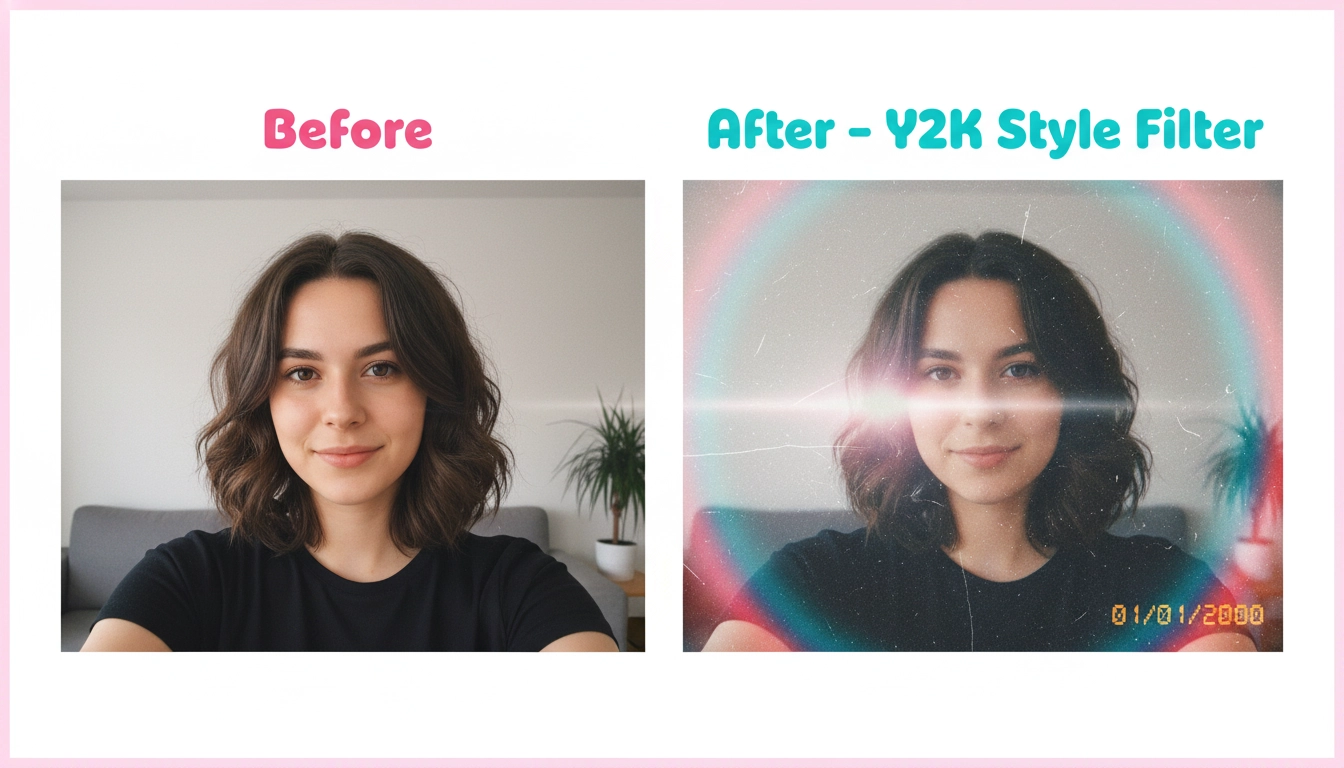
Why creators choose Kling 2.5 on Seadance AI
Cinematic quality without a studio
Kling 2.5 delivers smooth, cinematic motion and sharp visuals that feel like they came from a professional production, even when you start with a simple prompt or sketch. You do not need cameras, lights or editing software to get dramatic angles, depth and atmosphere. This lets solo creators and lean teams ship video concepts that once needed a full crew, while still keeping a consistent visual identity across their feeds and campaigns.
Fast turnaround for content calendars
Because Kling 2.5 is optimized for short clips and faster inference, you can go from idea to finished video in just a few minutes instead of waiting days for edits. That speed matters when you plan weekly TikTok, Reels and Shorts schedules or need last‑minute creative for a launch. With Seadance AI, you can queue multiple Kling 2.5 runs, compare versions side by side and quickly lock in the best performing angle for each slot in your content calendar.
Stable style for branding and characters
Kling 2.5 is built to keep style, color and character details stable from frame to frame, which is essential when you work with mascots, recurring hosts or fixed brand palettes. Instead of faces melting or logos stretching as the camera moves, the AI video generator preserves the main subject while changing motion, background and lighting. This gives you more confidence to use Kling 2.5 videos in paid ads, landing pages and recurring series without breaking your visual brand.
Creator‑friendly workflows in Seadance AI
Inside Seadance AI, Kling 2.5 does not live alone as a raw model. It sits inside a creator‑friendly interface with presets for common platforms, clear duration controls and prompt tips shaped around real social media scenarios. You can duplicate successful prompts, tweak only a few words, and instantly test new angles. This makes Kling 2.5 feel less like a lab tool and more like a collaborator that slots into how you already plan, batch and schedule your content.
Perfect for social hooks and teasers
Short, punchy hooks are where Kling 2.5 shines. You can quickly create opening scenes for longer videos, motion intros for product explainers or eye‑catching loops that highlight a key benefit. By pairing strong copy with cinematic camera movement, the Kling 2.5 AI video generator helps your first one or two seconds stand out in crowded feeds, improving view‑through rates and giving your call‑to‑action a better chance to land with new viewers.
Scales with your experiments
When your ideas work, you often need more variations fast. Seadance AI lets you clone Kling 2.5 setups, adjust prompts, durations or aspect ratios and push out entire batches of related clips. That means you can A/B test thumbnails, openers and pacing while keeping the same underlying concept. Over time this makes Kling 2.5 more than just a fun AI video generator; it becomes a core engine behind a data‑driven, experiment‑heavy content strategy.
Kling 2.5 FAQ
Answers to common questions about using Kling 2.5 as your AI video generator inside Seadance AI.